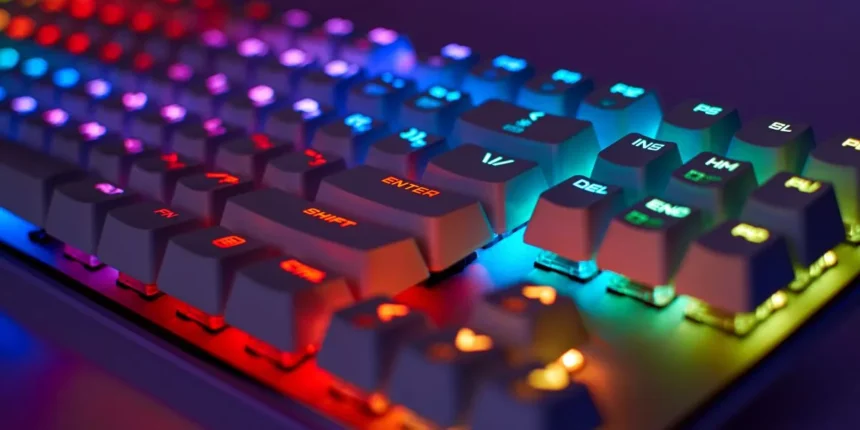
This concise guide presents five backlit keyboards under ₹3,000 that balance lighting, build, and features for night typing and casual gaming. Each pick highlights practical strengths—compact layouts, hot-swap options, wireless modes, or semi‑mechanical feel—so buyers know what to expect from performance and value. The selections and buying tips that follow help narrow choices for specific needs and setups.
- Corsair K55 CORE RGB Gaming Keyboard
- Ant Esports MK801 V2 Pro Wireless Backlit Mecha Membrane RGB Gaming Keyboard (94 Keys)
- Kreo Hive 65 RGB Wired Mechanical Gaming Keyboard (Hot-Swap, Detachable USB-C)
- Redragon Dyaus K509 Wired Semi-Mechanical Gaming Keyboard (Black)
- Portronics Hydra 10 Wireless Mechanical Gaming Keyboard (Red Switches, TKL, Multi-Colour Backlight)
- Factors to Consider When Choosing: 5 Keyboards With Backlit Keys Under ₹3,000
- Brightness & Modes
- Switch Type & Feel
- Build & Spill Resistance
- Battery & Connectivity
- Key Rollover & Latency
- Conclusion
Corsair K55 CORE RGB Gaming Keyboard
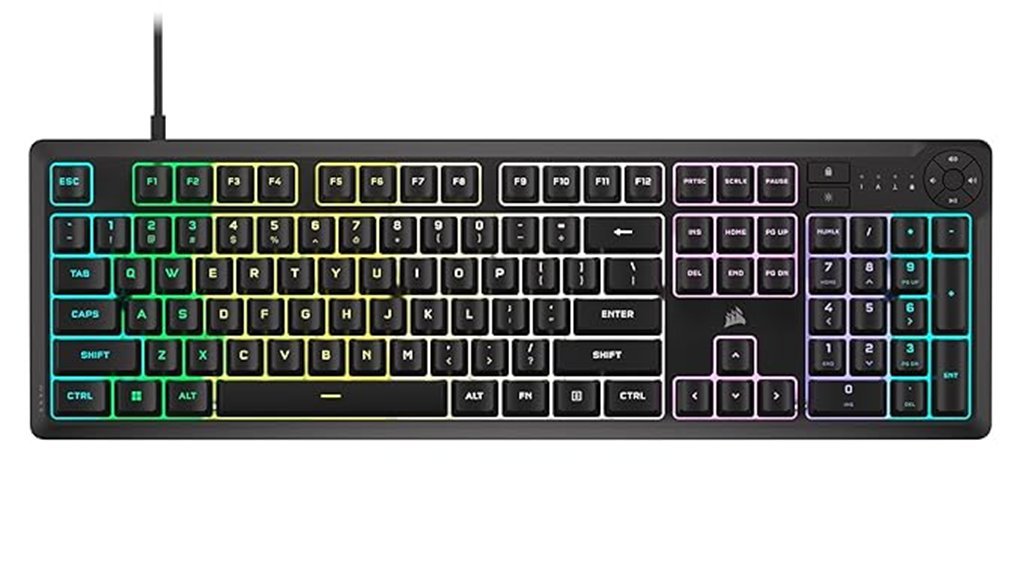
Who is the Corsair K55 CORE RGB best for? It suits budget-conscious gamers and streamers seeking bright RGB, quiet membrane keys, and dedicated media controls. The K55 CORE RGB offers six programmable macro keys, ten-zone customizable backlighting, 1,000 Hz polling, and Elgato/ iCUE integration, packaged in a dust- and spill-resistant chassis. Users report solid build quality and smooth key feel, though some note light bleed, limited true simultaneous key registration versus advertised 12-key rollover, and confusion over membrane versus mechanical claims. Missing localized layouts and a non-braided cable may deter some. Price-to-feature balance keeps it competitive under ₹3,000.
Best For: Budget-conscious gamers and streamers who want bright RGB, quiet membrane keys, dedicated media controls, and macro functionality in a spill-resistant keyboard with Elgato/iCUE integration.
Pros:
- Affordable feature set: six programmable macro keys, ten-zone RGB, and 1,000 Hz polling for smooth gaming performance.
- Quiet, responsive membrane keys with solid build quality and dust/spill resistance (300 ml rating).
- Dedicated media controls and Elgato/iCUE integration for easy streaming and lighting customization.
Cons:
- Uses membrane switches despite some confusing listings that imply mechanical keys.
- Reported limitations in true simultaneous key registration versus advertised 12-key rollover and some light bleed around keys.
- Non-braided cable and lack of included wrist rest or certain localized key layouts (e.g., missing “ñ”) may disappoint some users.
Ant Esports MK801 V2 Pro Wireless Backlit Mecha Membrane RGB Gaming Keyboard (94 Keys)
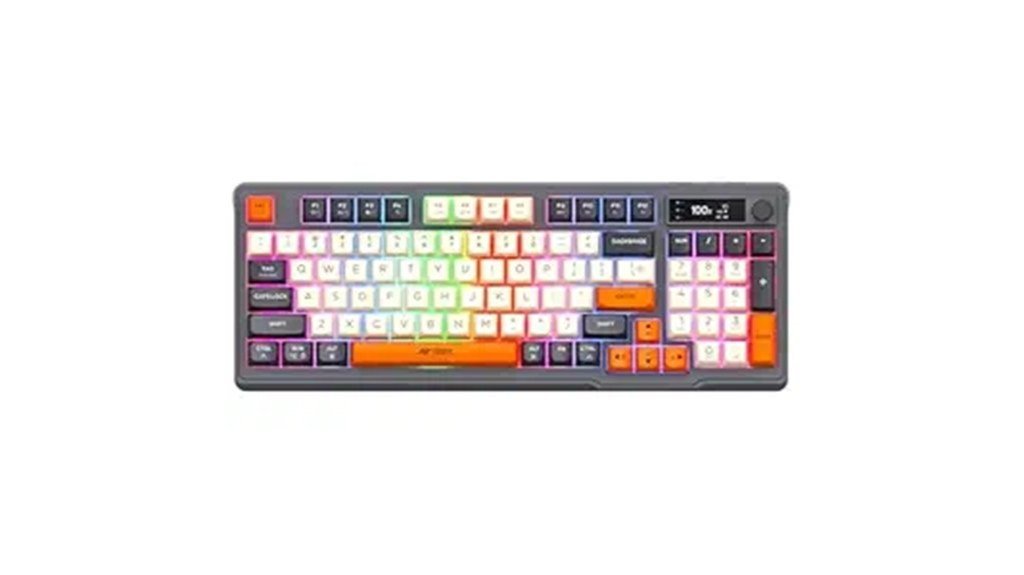
Gamers and productivity users seeking a compact, feature-rich wireless keyboard on a budget will find the Ant Esports MK801 V2 Pro an attractive option. The 94-key mecha-membrane design delivers quiet, linear keypresses with a compact numpad and multi-device Bluetooth/2.4GHz switching; a USB receiver stores under the battery compartment (check kickstand fit). RGB backlighting, onboard battery percentage and connection-mode display, and a volume dial add convenience, though lighting patterns and dial durability vary by unit. A 1900mAh battery supports extended use with higher drain when RGB is on. Build is sturdy; 1-year warranty covers electronic faults only.
Best For: Gamers and productivity users who want a compact, feature-rich wireless keyboard with quiet mecha-membrane keys, RGB lighting, multi-device switching, and onboard battery/connection display at a budget price.
Pros:
- Quiet, linear mecha-membrane feel with a compact 94-key layout including numpad and multi-device Bluetooth/2.4 GHz switching.
- RGB backlighting, onboard battery percentage/connection-mode display, and a convenient volume dial for everyday use.
- Sturdy, weighty chassis with long battery (1900 mAh) life when managed and USB-C charging; 1-year Pan India warranty for electronic issues.
Cons:
- RGB patterns and customization can be inconsistent across units and keep RGB on significantly increases battery drain.
- Receiver storage under battery compartment may be insecure with the larger kickstand and can fall out; dongle is non-magnetic.
- Volume/control dial reported as delicate by some users and the keyboard is not suitable for those who prefer clicky mechanical switches.
Kreo Hive 65 RGB Wired Mechanical Gaming Keyboard (Hot-Swap, Detachable USB-C)
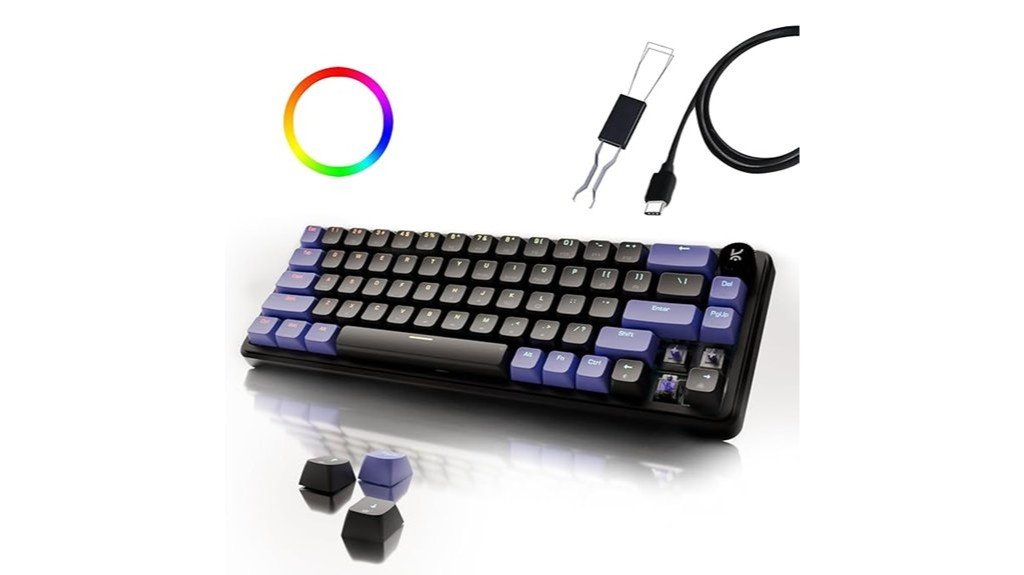
Seeking a compact, customizable keyboard without breaking the budget, the Kreo Hive 65 RGB suits users who want hot-swappable switches and per-key RGB in a 65% layout. The 64-key, gasket-mounted board offers pre-lubed Kreo Linear switches (5-pin hot-swap), a detachable USB-C cable, dual-layer case and PCB foam, and minimal flex for a premium feel. Double-shot ABS keycaps allow light pass-through; per-key RGB with 16 presets and a metal volume knob add practicality. Dual feet, non-slip padding, Windows lock, and responsive input benefit gaming and typing. Minor issues include occasional legend/backlight inconsistency and optional user mods.
Best For: Compact keyboard users and gamers who want a budget-friendly, customizable 65% board with hot-swappable switches and per-key RGB.
Pros:
- Gasket-mounted 65% layout with pre-lubed Kreo Linear 5-pin hot-swappable switches for smooth, quiet typing and easy customization.
- Per-key RGB (16 presets), double-shot ABS keycaps with light pass-through, detachable USB-C cable, and a sturdy, minimal-flex build with metal volume knob.
- Built-in damping (dual-layer case + PCB foam), dual feet, non-slip padding, Windows lock, and responsive input suitable for both gaming and typing.
Cons:
- Some users report inconsistent legend/backlight visibility on certain keycaps (e.g., Mac-layout or silver-on-purple legends).
- May benefit from additional user mods (foam, tape) for a more “thocky” sound—out of box sound is good but not premium on all units.
- Plastic construction and ABS keycaps may wear faster than higher-end PBT alternatives.
Redragon Dyaus K509 Wired Semi-Mechanical Gaming Keyboard (Black)
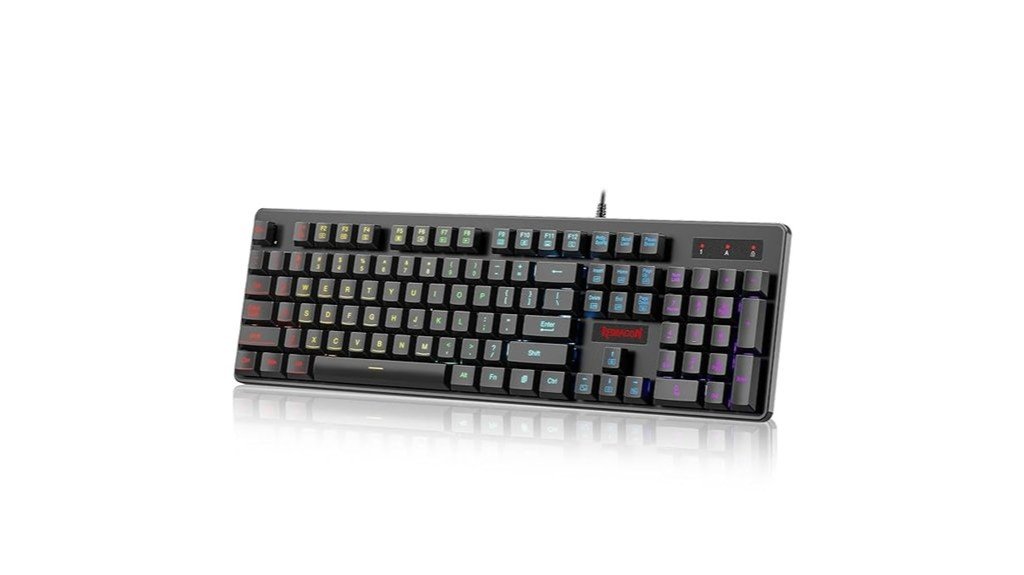
The Redragon Dyaus K509 is tailored for budget-conscious PC users who want a mechanical-like typing experience without the bulk or noise of true mechanical switches. This wired semi-mechanical 104-key keyboard combines aircraft-grade aluminum and ABS with double-shot keycaps, offering low-resistance, short-travel tactile keys and a lightweight 300 g build. RGB LEDs provide seven solid colors, spectrum and breathing modes, and four brightness levels controlled via Fn keys (no software). It features 25-key anti-ghosting, 11 multimedia functions, spill resistance, and Windows compatibility. Users praise value, quiet responsiveness and durability; criticisms target modest lighting brightness and limited per-key customization.
Best For: Budget-conscious PC gamers and typists who want a quiet, mechanical-like full-size keyboard with RGB effects and basic gaming features without the bulk or noise of true mechanical switches.
Pros:
- Affordable semi-mechanical feel with low-resistance, short-travel tactile keys and durable double-shot keycaps.
- Lightweight, sturdy build (aircraft-grade aluminum + ABS) with spill resistance and 25-key anti-ghosting for common gaming combos.
- RGB backlighting with multiple modes and 4 brightness levels controllable via Fn keys (no software required).
Cons:
- Lighting is limited to key legends, not very bright in daylight, and lacks per-key RGB customization.
- Some users report lighting mode resets after reboot and occasional ghosting when many keys are pressed.
- No wrist rest, limited macOS support, and fewer advanced features compared to full mechanical gaming keyboards.
Portronics Hydra 10 Wireless Mechanical Gaming Keyboard (Red Switches, TKL, Multi-Colour Backlight)
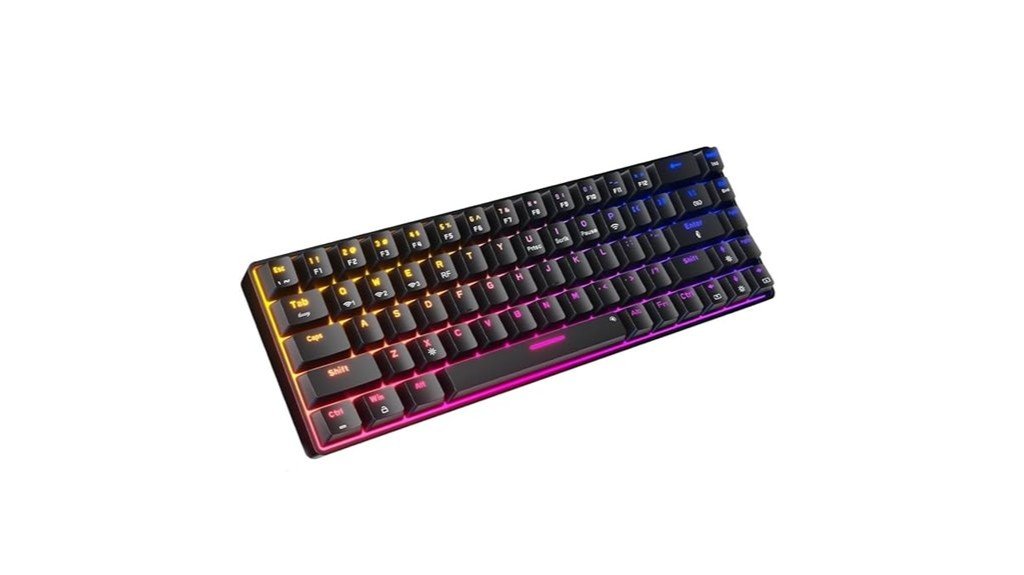
A compact, TKL wireless mechanical keyboard that suits users who want low-latency versatility across devices – the Portronics Hydra 10 pairs via Bluetooth 5.0 (multi-device) or a 2.4 GHz USB dongle and can be used wired while charging, offering mechanical red switches, customizable RGB lighting, and dedicated arrow keys in a portable 68-key layout. It supports multi-device pairing (3–4 devices commonly; occasional reports of more), easy switching, and Type-C charging. Linear red switches deliver quiet, smooth travel with anti-ghosting for gaming. Battery life varies with lighting (about 4–7 days typically). Warranty and support are available from Portronics.
Best For: Users who want a portable TKL mechanical keyboard that offers multi-device wireless connectivity (Bluetooth 5.0 + 2.4 GHz), low-latency wired-while-charging use, and quiet linear Red switches for both typing and gaming.
Pros:
- Compact 68-key TKL layout with dedicated arrow keys and ergonomic portability (34 x 15 x 5 cm).
- Flexible connectivity: Bluetooth multi-device pairing (3–4 devices), 2.4 GHz USB dongle, and Type-C wired use while charging.
- Customizable RGB backlighting (≈20 modes), anti-ghosting, and smooth silent Red switches for comfortable gaming/typing.
Cons:
- Some users report long-term reliability issues (key failures or increased noise after months of use).
- Conflicting weight specifications (586 g vs 780 g) and limited official documentation on battery capacity/runtime.
- TKL layout may lack dedicated function keys/num pad for users who need a full-size keyboard.
Factors to Consider When Choosing: 5 Keyboards With Backlit Keys Under ₹3,000
When comparing backlit keyboards under ₹3,000, attention should be paid to brightness levels and available lighting modes for usable illumination. Equally important are the switch type and tactile feel, as well as build quality and spill resistance for durability. Battery life and connectivity options, plus key rollover and latency, determine practical performance for typing and gaming.
Brightness & Modes
In choosing a budget backlit keyboard, brightness and lighting modes determine both visibility and battery impact. Buyers should check maximum brightness (nits/lumens when provided) to ensure legibility in well-lit rooms. Preference for per-key RGB over single-color or zoned lighting grants finer control and more vivid effects; zone setups can leave areas dimmer. Adjustable brightness steps (commonly 3–5 plus off) and dedicated shortcuts or controls allow quick changes without software. Direct keycap illumination through translucent or double-shot legends tends to read brighter and clearer than under-glow LEDs. For wireless models, constant high-brightness RGB markedly increases power draw, so features like idle dimming, auto-off, or per-profile brightness presets are important for conserving battery life.
Switch Type & Feel
Often overlooked, switch type and feel determine typing comfort, noise, and longevity more than lighting or layout. Buyers choosing sub-₹3,000 backlit keyboards should compare membrane, hybrid, and mechanical-style options: membrane (rubber dome) delivers softer, shorter travel and quieter keypresses with lower actuation force; mecha‑membrane hybrids offer a snappier, more tactile response by combining individual housings with tactile stems but lack true mechanical durability. Mechanical-style variants present linear (smooth), tactile (bump), and clicky (bump plus audible click) behaviors that influence speed, feedback, and noise levels. Key travel and actuation force (grams) affect comfort and fatigue—longer travel or higher force feels substantial but can impede rapid typing, while shorter, lighter switches favor speed. Durability ratings (20–80M presses) are markedly higher for true mechanical switches, preserving feel longer.
Build & Spill Resistance
Boasting a spill‑resistant design can make the difference between a quick towel‑off and a ruined keyboard. Buyers should prioritise models explicitly marketed as “spill‑resistant” or “waterproof” with a stated tolerance (commonly around 300 ml). Assess construction: sealed membrane layers, drained channels, and rubber gaskets around the keybed reduce liquid ingress more effectively than open‑frame designs. Build rigidity and weight matter—metal or reinforced plastic chassis resist flex, keeping seals aligned and improving durability. Keycap mounting and switch type influence tolerance; membrane or sealed dome switches outperform exposed mechanical housings for spill resistance. Finally, look for dust‑resistant features, removable keycaps for cleaning, and accessible drainage paths—those maintenance cues simplify recovery after accidents and extend usable life.
Battery & Connectivity
Balancing battery life and connection options is essential when choosing a backlit keyboard under ₹3,000: wired USB suits stationary setups, while Bluetooth or 2.4 GHz dongles enable mobile or multi‑device use. Buyers should verify available connection modes and choose keyboards that match intended use. For wireless models, compare quoted battery life and note that full RGB lighting can reduce runtime from weeks to days. Confirm multi‑device pairing and quick‑switching if alternating between phone, tablet, and PC. Prefer designs that allow wired use while charging (Type‑C passthrough) to avoid interruptions or added latency when power is low. Finally, evaluate lighting controls—low‑power/single‑color modes, remappable keys, and idle auto‑off timers—to extend practical battery life.
Key Rollover & Latency
After considering battery and connectivity, buyers should next check key rollover and latency, since these determine how reliably and quickly inputs register during play. Key rollover (6KRO, 10KRO, NKRO) specifies how many simultaneous presses register; lower rollover risks missed inputs in fast combos. Anti-ghosting differs: it blocks false extra signals, while rollover limits the number of real keys recognized. Latency, often tied to polling rate (125–1000 Hz), affects response time—a 1000 Hz rate yields ~1 ms USB report intervals versus ~8 ms at 125 Hz. For multiplayer FPS or fast-action titles, at least 6KRO with 500–1000 Hz polling is recommended. Note wireless modes and internal scanning add delay: Bluetooth is typically slower than a 2.4 GHz dongle or wired USB.
Conclusion
These five backlit keyboards deliver strong value under ₹3,000, blending bright RGB or single‑color illumination, responsive key feel, and gamer‑friendly features like anti‑ghosting, media controls, and compact layouts. Buyers can choose between budget membrane, semi‑mechanical, and hot‑swap mechanical options, wired or wireless connectivity, and TKL or full‑size form factors to match desk space and play style. For night typing and casual gaming, each pick offers dependable lighting, comfort, and solid build quality without overspending.