A concise roundup highlights five keyboards under ₹2,000 that balance comfort, durability and useful features for everyday use. Each model offers distinct strengths — from compact mechanical layouts and swappable switches to wireless versatility and reinforced frames — while accepting typical budget trade-offs. The comparison outlines practical pros and cons, helping a buyer narrow choices quickly and decide which compromises are acceptable.
- EvoFox Deathray v2 Pro Gaming Keyboard (Wired, Black)
- Ant Esports MK801 V2 Pro Wireless Backlit Mecha Membrane Gaming Keyboard (94 Keys, 2.4G/Bluetooth, RGB)
- Redragon K630 Dragonborn 60% Wired Pink Mechanical Gaming Keyboard (61-Key, Brown Switch)
- Cosmic Byte Vanth CB-GK-27 Mechanical Keyboard with Swappable Outemu Blue Switches and Rainbow LED
- FRONTECH Wired Mechanical Gaming Keyboard (KB-0014P)
- Factors to Consider When Choosing Keyboards Under ₹2,000 for Daily Use
- Build Quality & Durability
- Switch Type & Feel
- Connectivity & Compatibility
- Ergonomics & Layout
- Lighting & Power Life
- Conclusion
EvoFox Deathray v2 Pro Gaming Keyboard (Wired, Black)
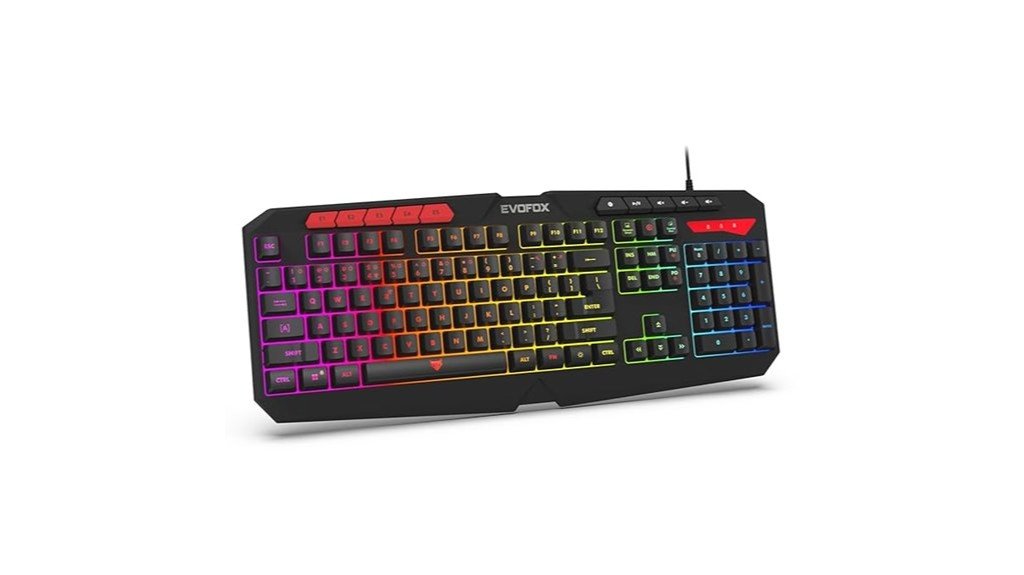
For budget-conscious gamers who want a full-size, feature-rich board without mechanical switch cost, the EvoFox Deathray v2 Pro delivers a quiet membrane typing experience with 19 anti-ghosting keys, five programmable macros, and six-zone RGB lighting — all built into a durable ABS shell with a braided 1.8 m USB cable. The wired keyboard (model 498) offers ergonomic full-size layout, unique function shortcuts (screenshot, macro recording, Xbox Game Bar), media controls, and adjustable RGB modes. Users praise its value, quiet responsive keys, vibrant lighting and sturdy cable; occasional defects and macro limitations (no mouse recording) have been reported but often resolved via replacement.
Best For: Budget-conscious gamers and everyday PC users who want a full-size, feature-rich, quiet membrane keyboard with customizable RGB and programmable macros without the price of mechanical switches.
Pros:
- Affordable, value-oriented full-size design with comfortable, quiet membrane keys and ergonomic layout.
- Six-zone RGB lighting (7 presets + 1 customizable) with adjustable speed/intensity and a durable 1.8 m braided USB cable with EMI filter.
- 19 anti-ghosting keys and five programmable macro keys plus convenient function shortcuts (screenshot, macro recording, Xbox Game Bar, media controls).
Cons:
- Macros cannot record mouse actions, limiting some advanced macro use cases.
- Some users reported occasional defective units (e.g., misaligned/loose keys) requiring replacement or repair.
- Membrane keys lack the tactile feedback and longevity of mechanical switches for hardcore typists/gamers.
Ant Esports MK801 V2 Pro Wireless Backlit Mecha Membrane Gaming Keyboard (94 Keys, 2.4G/Bluetooth, RGB)
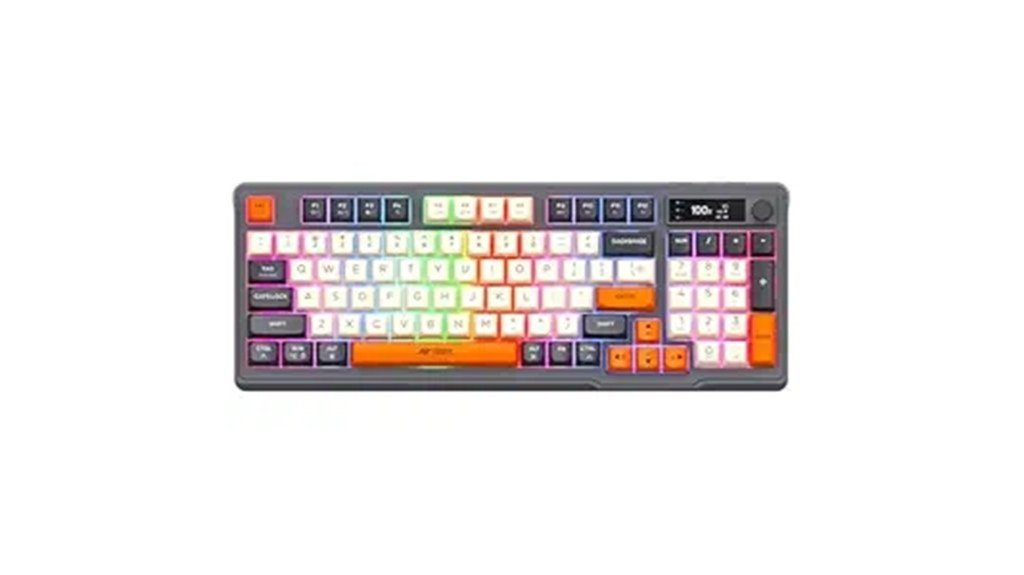
A compact, feature-packed option for budget-conscious gamers and multitaskers, the Ant Esports MK801 V2 Pro pairs a 94-key mecha-membrane layout with dual 2.4 GHz/Bluetooth connectivity and an onboard battery percentage display, making it especially well suited for users who need reliable wireless performance and quick device switching without paying a premium. It offers linear, quieter keypresses that mimic mechanical travel, a compact numpad, RGB backlighting, a volume knob with press-to-mute and an electronic battery/connection readout. Portable yet sturdy, it stores the USB receiver in the battery compartment; users should note varying lighting customization, battery drain with RGB, and a one-year warranty.
Best For: A budget-conscious gamer or multitasker who wants a compact, wireless 94-key keyboard with mecha-membrane feel, dual 2.4 GHz/Bluetooth connectivity, quick device switching, and an onboard battery/connection display.
Pros:
- Compact 94-key layout with numpad, satisfying linear mecha-membrane keyfeel, and quieter typing than clicky mechanical switches.
- Dual wireless modes (2.4 GHz + Bluetooth), multi-device switching, and an onboard battery-percentage/connection display for convenient monitoring.
- RGB backlighting, volume knob with press-to-mute, sturdy/portable chassis, and included USB receiver + rechargeable 1900 mAh battery.
Cons:
- RGB customization and lighting patterns can be inconsistent between units; RGB significantly increases battery drain.
- USB receiver storage can be insecure (may fall out if large kickstand used); first-time users must check battery compartment to find the dongle.
- Not suitable for clicky-switch fans; some users report flimsy control dial and occasional keycap/legend layout inconsistencies.
Redragon K630 Dragonborn 60% Wired Pink Mechanical Gaming Keyboard (61-Key, Brown Switch)
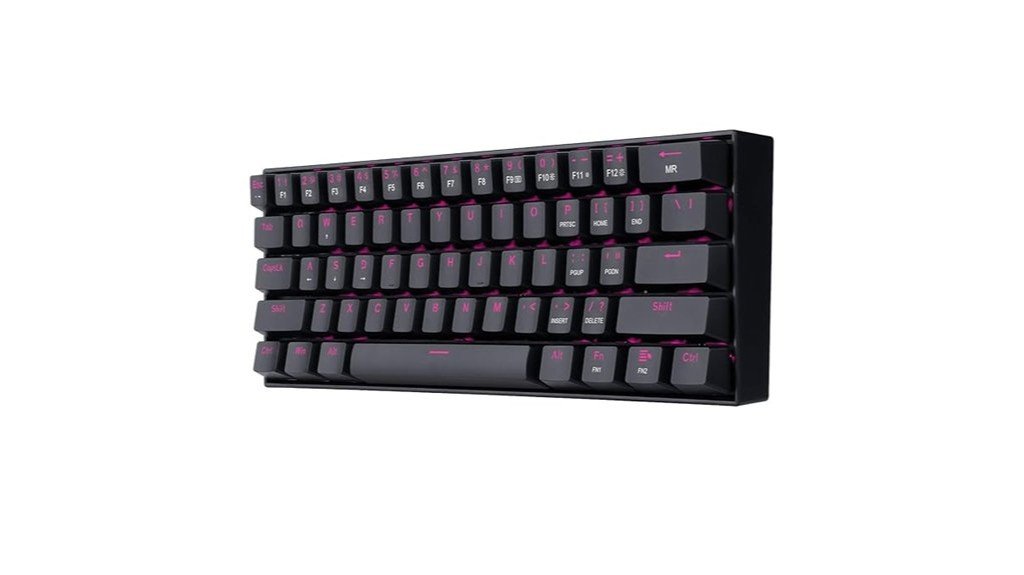
Built for budget-conscious gamers and first-time mechanical keyboard users, the Redragon K630 Dragonborn 60% delivers a compact, travel-friendly design with tactile brown switches that balance feedback and noise. The wired 61-key layout saves desk space and improves portability; a steel base plate gives a solid, relatively heavy feel. Brown switches are rated 50 million presses and are hot-swappable (though some users report soldered switches). Features include 100% anti-ghosting, pink single-color lighting with multiple modes, key/switch pullers and spare switches in some packages. Reported issues: switch wobble, hollow ping, stabilizer quirks, occasional cable or driver problems. Overall: strong value.
Best For: Budget-conscious gamers and first-time mechanical keyboard users who want a compact, portable 60% board with tactile brown switches and solid build for everyday gaming and typing.
Pros:
- Compact 60% layout and lightweight portability save desk space and improve mouse movement for gaming.
- Tactile brown switches (rated 50M presses) offer good feedback with quieter operation than clicky switches.
- Solid steel base plate, 100% anti-ghosting, pink single-color lighting with multiple modes, and included key/switch pullers/spares add value.
Cons:
- Reported switch wobble, hollow/ping noises, and spacebar stabilizer issues that may require mods to fix.
- Hot-swap reliability is inconsistent (some users report soldered switches), and occasional cable/driver problems reported.
- Lacks dedicated arrow keys and certain FN combos can interfere with Alt/Ctrl shortcuts, creating a learning curve for some users.
Cosmic Byte Vanth CB-GK-27 Mechanical Keyboard with Swappable Outemu Blue Switches and Rainbow LED
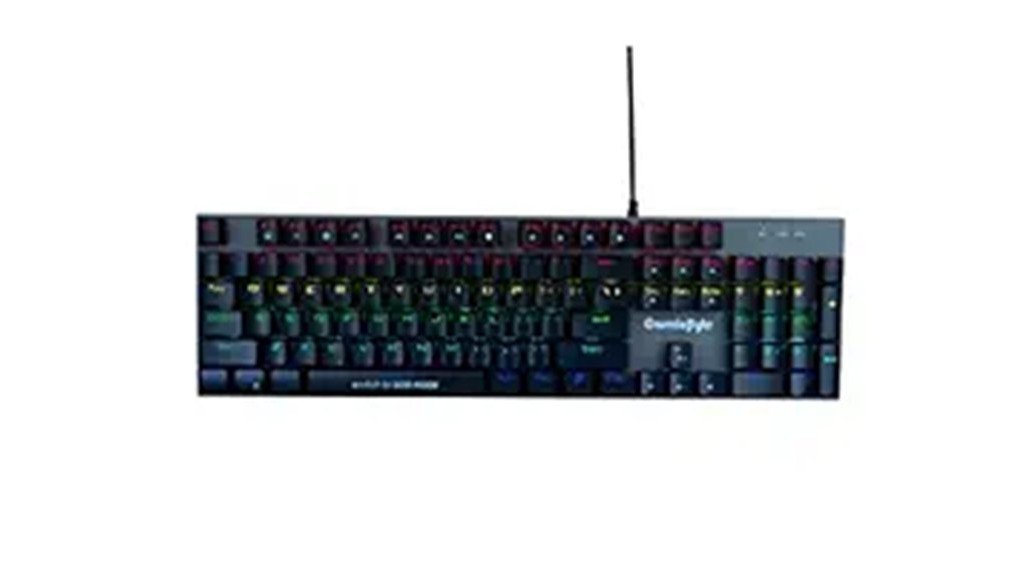
The Cosmic Byte Vanth CB-GK-27 targets budget-conscious gamers and typists who want mechanical feel and RGB flair without breaking ₹2,000. This full-size 104-key board ships with swappable Outemu Blue clicky switches, injection-molded double-shot keycaps and a metal-frame build weighing 670 g. Rainbow RGB offers adjustable brightness, speed, 20 effects and eight game modes. Keys claim 50M+ lifespans; FN+SCRLK toggles 6-key/full anti-ghosting. Users praise responsiveness and improved typing speed, though switch-swapping may be stiff and some report reliability or support issues. Compatible with Windows 10 via USB, it balances value, performance and entry-level durability.
Best For: Budget-conscious gamers and typists who want a full-size mechanical feel with RGB flair and basic durability under ₹2,000.
Pros:
- Affordable full-size 104-key mechanical board with clicky Outemu Blue switches and swappable switch capability.
- Metal-frame build and 670 g weight give a sturdy, anti-slip feel; injection-molded double-shot keycaps improve longevity.
- Vibrant rainbow RGB with 20 effects, adjustable brightness/speed, and 8 game modes; FN+SCRLK toggles 6-key/full anti-ghosting.
Cons:
- Switch swapping can be stiff or difficult for some units and may risk PCB issues with frequent changes.
- Mixed reliability and customer support reports; some users experienced failed units or poor after-sales service.
- Clicky Outemu Blue switches are loud for shared/work spaces; dimensions listing (10 x 10 x 10 cm) appears incorrect/misleading.
FRONTECH Wired Mechanical Gaming Keyboard (KB-0014P)
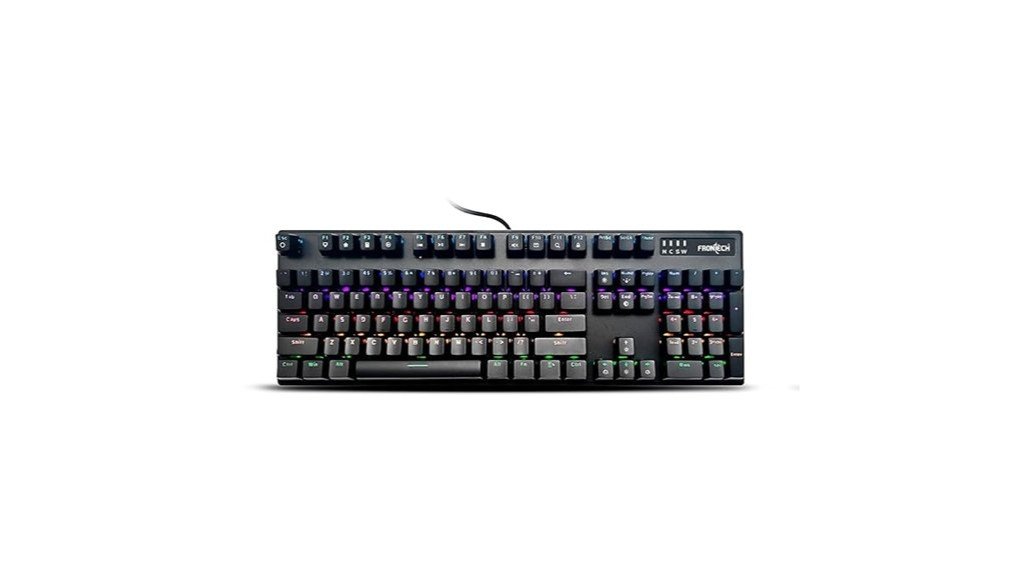
Designed for budget-conscious gamers and typists who want tactile feedback without breaking the bank, the FRONTECH KB-0014P pairs mechanical switches and full anti-ghosting across 104 keys to ensure responsive, error-free input during fast-paced play or heavy typing sessions. Its durable frame, soft key structure and faster actuation deliver tactile comfort without sacrificing speed. Rainbow backlit illumination offers 12 adjustable patterns while angled keycaps and a height-adjustable clip improve ergonomics for long sessions. At 1 kg and compact dimensions, it fits typical desks. Suited for gaming, high-speed typing and multitasking, it includes a one-year limited warranty and straightforward, feature-focused design.
Best For: Budget-conscious gamers and typists who want tactile mechanical switches, full anti-ghosting, and RGB lighting in a durable, ergonomic keyboard for extended sessions.
Pros:
- Mechanical switches with tactile feedback and faster actuation for responsive gaming and typing.
- Full 104-key anti-ghosting and durable build suitable for intense input and long-term use.
- Adjustable RGB rainbow backlighting (12 patterns) and height-adjustable clip for improved ergonomics.
Cons:
- Wired-only design may limit desk cable flexibility compared to wireless options.
- Basic feature set (no dedicated macro keys or software customization) may disappoint advanced users.
- At 1 kg and compact dimensions, may feel heavier or less portable than ultra-light alternatives.
Factors to Consider When Choosing Keyboards Under ₹2,000 for Daily Use
When selecting a keyboard under ₹2,000 for daily use, attention should focus on build quality and durability to ensure long-term value. Equally important are switch type and feel, connectivity and compatibility, and an ergonomic layout that supports comfortable typing. Lighting and battery or power life round out the practical considerations for everyday performance.
Build Quality & Durability
Built to withstand daily use, a keyboard’s enclosure, switches, cable and keycaps together determine how long it remains reliable and comfortable. Enclosure material and density matter: thicker ABS or higher‑grade plastics and metal‑reinforced frames resist flex, creak and structural fatigue. Switch lifespan should be checked; mechanical switches often advertise 50M+ keystrokes whereas membrane options typically wear sooner, so higher rated switches suit heavy typists. A braided or reinforced cable with solid USB‑A/C connectors, or secure wireless dongle storage, reduces connector wear and accidental damage. Keycap materials and construction—double‑shot or PBT over ABS single‑shot—and good stabilizers preserve legends and limit wobble. Finally, warranty length and coverage detail—electrical/mechanical faults versus physical wear—reflect manufacturer confidence and potential long‑term savings.
Switch Type & Feel
How should a keyboard feel under the fingers and why it matters: switch type defines tactile feedback, noise, actuation force and ultimately typing speed and fatigue. In the sub-₹2,000 segment, membrane (rubber dome) switches are common: they are quiet, softer, and have shorter travel but deliver less tactile feedback and lower longevity than mechanical switches. Mecha-membrane or hybrid switches offer a firmer actuation and improved feedback over plain membranes while remaining budget-friendly, though they do not match mechanical lifespans. Low-cost mechanical switches can vary—expect wobble, stabilizer noise, and inconsistent force due to cheaper housings and springs. Tactile options provide a feedback bump; linears feel smoother and faster; clicky switches are louder. Hot-swap is rare but useful if available.
Connectivity & Compatibility
For daily use under ₹2,000, connectivity and compatibility determine whether a keyboard simply works or causes recurring friction — wired USB models prioritize near-zero latency and unlimited power, while Bluetooth and 2.4 GHz wireless options trade convenience and multi-device mobility for potential lag, battery management, and interference risks. Buyers should weigh latency versus battery life and choose wired for uninterrupted responsiveness or wireless for device switching. Check multi-device support (Bluetooth multipoint or multiple dongle profiles) when moving between laptop, phone, and tablet. Verify OS and driver compatibility; some media keys, FN layers, or macros require vendor software that may not run on all platforms. For wired units confirm connector type and cable quality (USB-A/USB-C, braided, ≥1.5 m). For wireless, prefer secure BLE/5.0 or unique 2.4 GHz pairing and USB-C adapter inclusion.
Ergonomics & Layout
Ergonomics and layout determine whether a keyboard supports comfortable, efficient typing over hours rather than merely fitting on a desk. Choose full-size (104–108 keys) when a number pad is regularly used for data entry; opt for compact 75% or 60% layouts to save desk space and improve mouse movement. Assess switch type: membrane or mecha-membrane for quieter, softer typing and lower cost; tactile mechanical-style switches for firmer feedback and potential long-term comfort. Look for adjustable tilt feet offering two-angle height options (typically 0° and ~6–8°) to reduce wrist extension. Ensure reachable modifier and navigation keys—dedicated arrows and Home/End/Page Up/Down or easy FN-layer access—to avoid awkward reaches. Prefer low-profile or sculpted keycaps and standard ~19 mm key pitch for natural finger placement.
Lighting & Power Life
Why prioritize lighting and power life when choosing a budget keyboard? Lighting and power life directly affect daily convenience: RGB or single-color backlighting adds significant battery drain—typically 20–40% more with sustained lighting versus off. Per-key or multi-zone RGB demands more power than single-zone or single-color LEDs; fewer zones and limited effects extend runtime. Wireless models list capacity or runtime (mAh or hours); comparing quoted hours with lighting on versus off gives realistic endurance expectations. Useful power-saving features include adjustable brightness, idle auto-off, and selectable modes that cut LED output and prolong use. Wired keyboards avoid runtime concerns since they draw from the host, though lighting still influences USB power draw and system power management.
Conclusion
Choosing a keyboard under ₹2,000 involves balancing comfort, durability and features. The shortlisted EvoFox, Ant Esports, Redragon, Cosmic Byte and FRONTECH models offer reliable daily performance across membrane, mecha-membrane and budget mechanical types, with useful additions like wireless modes, RGB, swappable switches and compact layouts. Buyers should prioritise key feel, build quality, connectivity and anti-ghosting to match typing habits and workspace needs, accepting minor trade-offs for strong value.