Frequent flyers who need true portability often choose laptops that balance weight, battery life and practical performance. This list compares five compact models aimed at business travel and long transits. Each entry highlights what matters on the road — endurance, screen, connectivity and real‑world speed — and why some thin machines still outperform bulkier rivals. Keep going to see which model best fits specific travel habits.
- HP Pavilion Aero 13.3″ Laptop (AMD Ryzen 7-8840U, 16GB RAM, 512GB SSD, WUXGA, Win 11, Silver)
- ASUS Vivobook Go 14 Thin & Light Laptop (AMD Ryzen 5, 16GB RAM, 512GB SSD, 14″ FHD)
- Lenovo IdeaPad Slim 3 Thin and Light Laptop (AMD Ryzen 5, 16GB, 512GB, 15.6″ FHD, Windows 11)
- Acer Aspire Lite 15.6″ Laptop (AMD Ryzen 3 7330U, 8GB RAM, 512GB SSD, Windows 11 Home)
- Dell 15-inch Thin & Light Laptop with Intel Core i5 13th Gen, 16GB RAM, 512GB SSD, FHD 120Hz, Windows 11
- Factors to Consider When Choosing Lightweight Laptops Perfect for Travel
- Weight and Portability
- Battery Endurance
- Performance Vs Thermals
- Display Visibility Outdoors
- Build Quality and Durability
- Connectivity and Ports
- Conclusion
HP Pavilion Aero 13.3″ Laptop (AMD Ryzen 7-8840U, 16GB RAM, 512GB SSD, WUXGA, Win 11, Silver)
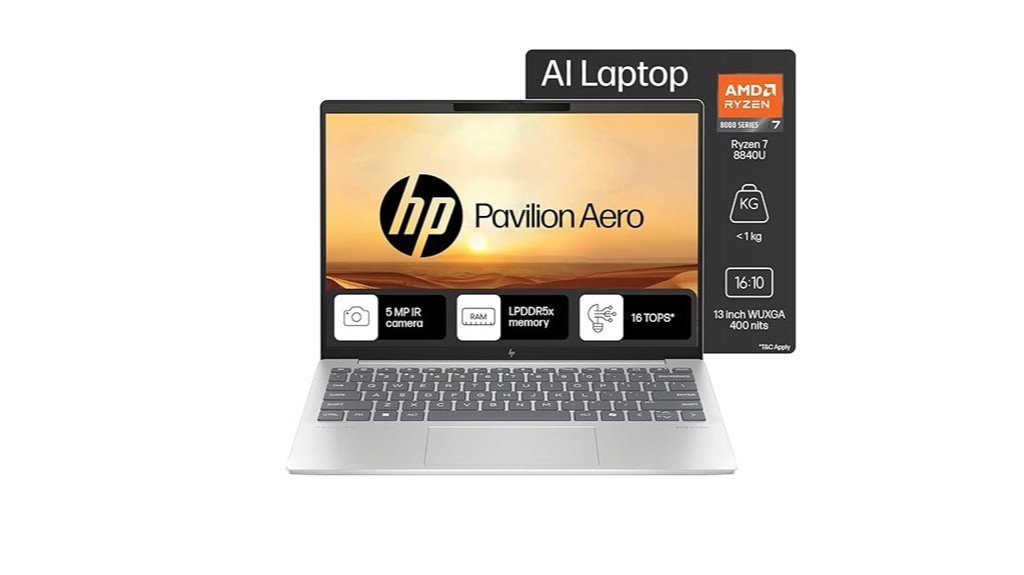
Who is this laptop best for? The HP Pavilion Aero 13.3″ suits travelers needing a very light, performance-focused machine for productivity and occasional gaming. It pairs an AMD Ryzen 7 8840U (8C/16T, up to 5.1 GHz) with 16 GB LPDDR5x and a 512 GB NVMe SSD, offering snappy responsiveness and AI enhancements. The 13.3″ WUXGA IPS display, 5 MP webcam and Wi‑Fi 6 aid remote work. Battery life varies (4–11.5 hours claimed); fast charge restores 50% in 30 minutes. Ports include USB‑C/A and HDMI 2.1. Note spec inconsistencies for weight and resolution.
Best For: Suitable for travelers and students who want an ultra-light, performance-focused 13.3″ laptop for productive work, remote meetings, and occasional light gaming.
Pros:
- Lightweight, compact design with strong performance from the AMD Ryzen 7 8840U and 16 GB LPDDR5x for smooth multitasking.
- Sharp 13.3″ WUXGA IPS display and excellent 5 MP webcam support remote work and video calls.
- Fast NVMe storage, Wi‑Fi 6, HDMI 2.1 and fast‑charge (50% in 30 minutes) add useful real‑world convenience.
Cons:
- Battery life is variable in real use (user reports 4–7 hours) despite higher claimed figures.
- Some reported heating when charging under load.
- Spec inconsistencies (weight and resolution listed differently in sources) may confuse buyers.
ASUS Vivobook Go 14 Thin & Light Laptop (AMD Ryzen 5, 16GB RAM, 512GB SSD, 14″ FHD)
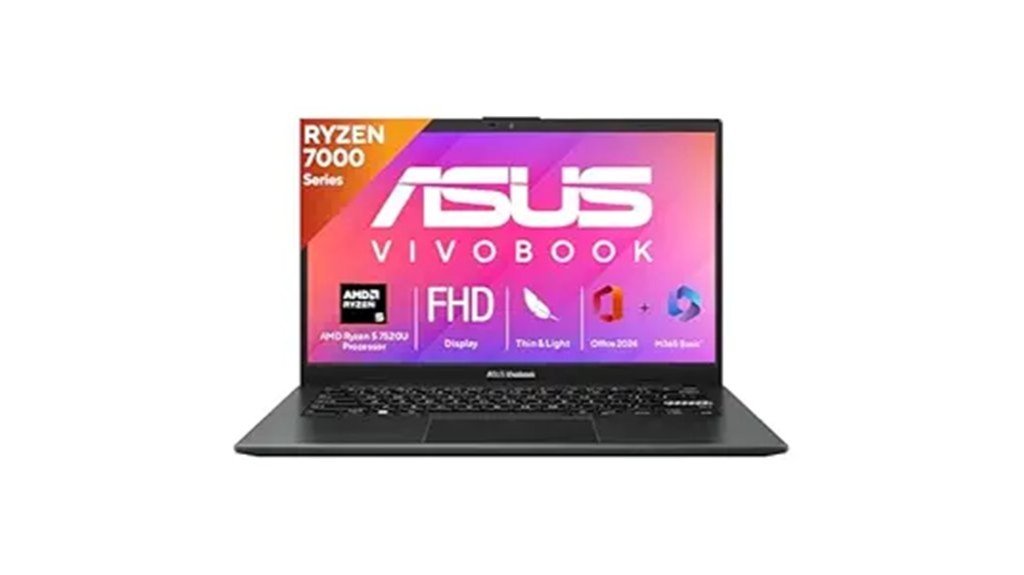
Designed for travelers who prioritize portability and everyday productivity, the ASUS Vivobook Go 14 pairs a 14-inch FHD display with a lightweight 1.21 kg chassis and a long-running AMD Ryzen 5 7520U CPU, making it well suited for frequent flyers, students, and remote workers needing a compact workhorse. It offers 16GB LPDDR5, a 512GB M.2 NVMe SSD, integrated AMD Radeon graphics, and Windows 11 Home with Microsoft 365 Basic and Office Home 2024. Battery is a 42Wh unit claiming about eight hours; real-world reports cite shorter life and mixed display quality. No keyboard backlight; ports include USB 2.0 and HDMI.
Best For: Travelers, students, and remote workers who need a lightweight, affordable 14″ laptop for everyday productivity and basic multitasking.
Pros:
- Lightweight 1.21 kg chassis with a 14″ FHD display—good portability for frequent travel.
- Solid performance for everyday tasks thanks to AMD Ryzen 5 7520U and 16GB LPDDR5 RAM.
- Fast 512GB M.2 NVMe SSD and Windows 11 Home with Microsoft 365 Basic and Office Home 2024 included.
Cons:
- Reported real-world battery life often falls short of the advertised ~8 hours (commonly 3–4 hours).
- Display quality issues reported (limited brightness, color accuracy/viewing angles, occasional blinking).
- No keyboard backlight and limited port selection (only USB 2.0 and HDMI explicitly listed).
Lenovo IdeaPad Slim 3 Thin and Light Laptop (AMD Ryzen 5, 16GB, 512GB, 15.6″ FHD, Windows 11)
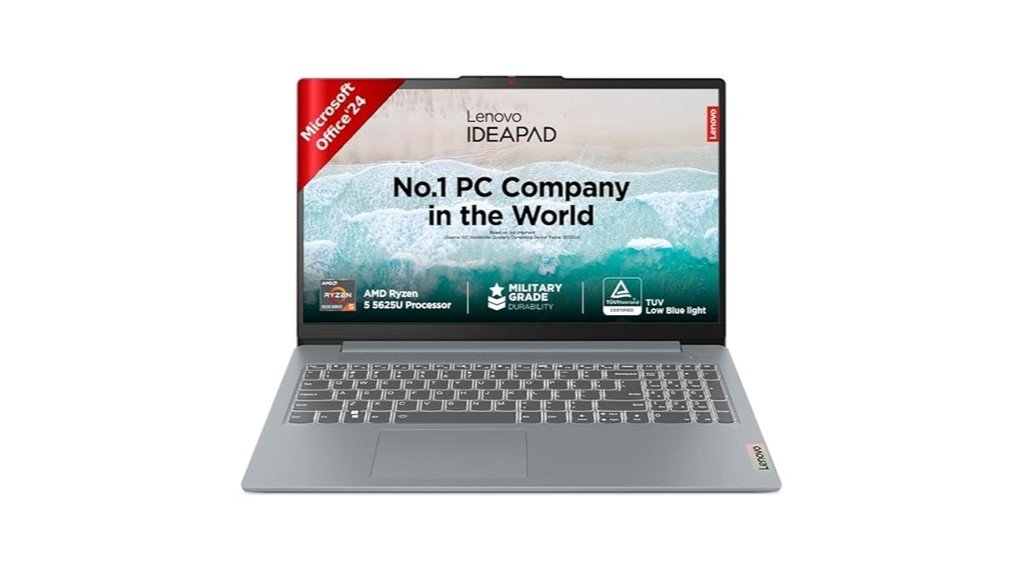
With a 1.62 kg featherweight frame and up to 12 hours of mixed-use battery life, the Lenovo IdeaPad Slim 3 is best suited for frequent travelers who need full-size productivity on the go without sacrificing portability. Powered by an AMD Ryzen 5 5625U (6 cores, 12 threads) with integrated Radeon graphics, it handles heavy office workloads but not intensive video editing. The 15.6″ FHD anti-glare display (250 nits) and FHD webcam support remote work; however, reviewers cite washed colors and low brightness. Soldered 16 GB RAM, 512 GB SSD (expandable), backlit keyboard, modest speakers, and Rapid Charge round out a pragmatic, budget-conscious travel laptop.
Best For: frequent travelers and students who need a lightweight, full-size Windows laptop for heavy office work and remote meetings without demanding graphics or video-editing workloads.
Pros:
- Lightweight 1.62 kg thin-and-light design with up to ~12 hours mixed-use battery and Rapid Charge for quick top-ups.
- Solid CPU (AMD Ryzen 5 5625U: 6 cores/12 threads) and 16 GB RAM for smooth multitasking and office productivity.
- 15.6″ FHD anti-glare display and FHD webcam with privacy shutter suited for remote work; backlit keyboard and expandable 512 GB SSD.
Cons:
- Display is only 250 nits with reported low contrast and washed colors, limiting usability in bright environments and for color work.
- RAM is soldered (16 GB max, not user-upgradable) and integrated GPU unsuitable for intensive video editing or demanding graphics tasks.
- Speakers are modest and volume reported low; some users reported occasional hardware defects and warranty/shipping issues in reviews.
Acer Aspire Lite 15.6″ Laptop (AMD Ryzen 3 7330U, 8GB RAM, 512GB SSD, Windows 11 Home)
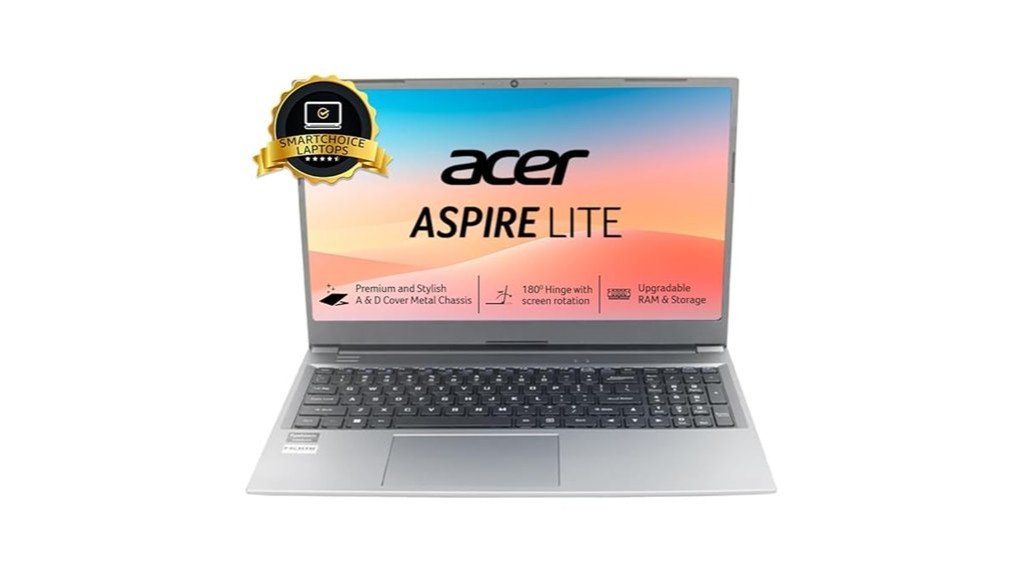
Light and reasonably powerful, the Acer Aspire Lite AL15-41 suits travelers who need a full‑size 15.6″ screen without carrying a bulky machine. The steel gray, thin‑and‑light metal chassis weighs 1.6 kg and houses a 15.6″ Full HD TN display, AMD Ryzen 3 7330U with Radeon Graphics, 8 GB DDR4 (upgradable to 32 GB) and a 512 GB PCIe Gen3 NVMe SSD. Connectivity includes USB‑C (3.2 Gen2), USB‑A ports, HDMI, Wi‑Fi and Bluetooth. It runs Windows 11 Home, uses a 36 Wh battery (advertised ~7 hours, typical ~3.5–4), and offers fast everyday performance with mixed long‑term reliability reports.
Best For: Travelers and students who want a lightweight 15.6″ laptop with decent everyday performance and expandable RAM/storage at an affordable price.
Pros:
- Lightweight metal chassis (1.6 kg) with a full‑size 15.6″ FHD display, good for portability and productivity.
- Ryzen 3 7330U with integrated Radeon Graphics, 8 GB DDR4 (upgradeable to 32 GB) and 512 GB PCIe NVMe SSD for snappy everyday performance and easy upgrades.
- Modern connectivity including USB‑C (3.2 Gen2), USB‑A ports, HDMI, Wi‑Fi and Bluetooth.
Cons:
- TN panel (not IPS) may have limited viewing angles and color accuracy compared with competitors.
- Small 36 Wh battery and real‑world battery life often ~3.5–4 hours, shorter than advertised.
- Some listing inconsistencies and mixed long‑term reliability reports from users.
Dell 15-inch Thin & Light Laptop with Intel Core i5 13th Gen, 16GB RAM, 512GB SSD, FHD 120Hz, Windows 11

Who benefits most from the Dell Inspiron 15 (3530) is clear: travelers who need a 15.6″ laptop that balances portability and performance. The silver thin-and-light design weighs 1.62 kg and measures 7.2 x 35.4 x 45.9 cm, packing an Intel Core i5-1334U (up to 4.6 GHz), 16 GB DDR4, and a 512 GB SSD. A 15.6″ FHD 120 Hz WVA anti-glare display, integrated Intel UHD Graphics, backlit keyboard and 41 Wh battery (≈7 hours) suit productivity on the go. Connectivity includes Wi‑Fi5, USB-C (data), HDMI, SD slot and a one-year onsite warranty.
Best For: travelers and students who need a 15.6″ thin-and-light laptop that balances portability, decent everyday performance, and a high-refresh FHD display for productivity on the go.
Pros:
- Lightweight 1.62 kg chassis with a 15.6″ FHD 120 Hz anti-glare display—good balance of portability and viewing quality.
- 13th Gen Intel Core i5-1334U with 16 GB DDR4 and 512 GB SSD delivers snappy multitasking and fast storage.
- Backlit keyboard, SD card slot, HDMI, USB-C (data) and 1-year onsite warranty provide useful connectivity and support.
Cons:
- Integrated Intel UHD Graphics limits gaming and heavy graphics workloads.
- Wi‑Fi 5 (802.11ac) rather than Wi‑Fi 6 and a USB-C port that’s data-only restrict modern connectivity options.
- Battery is only 41 Wh (≈7 hours average), which may be short for long travel or all-day use.
Factors to Consider When Choosing Lightweight Laptops Perfect for Travel
When selecting a travel laptop, consideration must begin with weight and portability alongside battery endurance to ensure all-day use without added bulk. Buyers should balance performance against thermal limits so CPU/GPU power does not sacrifice comfort or longevity, while checking display visibility outdoors for usable brightness and contrast. Finally, build quality and durability determine whether the machine withstands frequent handling and the rigors of transit.
Weight and Portability
For travel-focused laptops, weight and portability are the primary practical constraints: aim for models under about 1.3–1.6 kg (2.9–3.5 lbs) so the device doesn’t become a constant burden on flights or daily commutes. Size and thickness matter as much as mass; 13–15″ footprints with sub‑18 mm profiles fit backpacks, airline under‑seat spaces and crowded desks more readily. Verify advertised weight against in‑box measurements and factor in charger mass (roughly 150–300 g) to estimate total carry weight. Inspect build materials: aluminum or magnesium‑alloy chassis can provide durability with modest weight, whereas some plastics save grams but sacrifice robustness. Finally, balance lightweight design with battery capacity—confirm watt‑hours (aim for ~40–50 Wh or higher) to avoid trading portability for inadequate endurance.
Battery Endurance
Lightweight construction loses much of its benefit if battery life forces frequent charging, so after weight and size considerations the next priority is endurance. Travelers should target batteries around 40–50 Wh for all‑day use while recognizing manufacturer runtimes often reflect light workloads. Real‑world runtime varies: web browsing and streaming may yield roughly 4–8 hours from that capacity, whereas editing or gaming will drain far faster. Fast‑charge support (for example, 50% in ~30 minutes) is valuable for short layovers. Power‑efficient components — low‑voltage CPUs, LPDDR memory, integrated graphics — and moderate, lower‑resolution displays (≤300 nits) materially extend battery life. Finally, confirm charging options and adapter wattage (USB‑C PD vs proprietary, typically 45–65 W) for compatibility with portable chargers and quicker recharges on the go.
Performance Vs Thermals
Against the demands of travel, performance and thermal management form a single constraint: higher‑performance CPUs and quicker boost clocks produce more heat per watt, so slim chassis with limited cooling commonly throttle and cannot sustain peak speeds during long tasks. Travelers should examine sustained boost behavior and documented TDP configurations (for example, 15–28W versus 35–45W) because peak GHz numbers are often brief. Efficient CPU architectures and LPDDR5(x) memory raise performance‑per‑watt, lowering heat and improving battery life versus older DDR. Cooling implementation — heat pipes, ventilations, fan size/curve — and chassis material (aluminum over plastic) determine how long turbo frequencies remain usable and how hot surfaces get. For travel, prioritize steady mid‑level sustained TDPs over headline peak benchmarks for real‑world, long‑running workloads.
Display Visibility Outdoors
How visible a laptop screen remains under sun and sky is a practical concern for travelers who work outdoors. Travelers should target displays rated 300–400 nits for usable visibility in shade and 500+ nits for comfortable direct‑sun use. An anti‑glare or matte finish reduces reflections and preserves contrast. IPS or equivalent wide‑viewing‑angle panels keep color and contrast consistent when the lid is tilted or viewed off‑axis. Higher contrast ratios (preferably above 1000:1) and strong black levels improve text legibility in bright ambient light. An ambient light sensor with reliable automatic brightness control helps the screen adapt to changing conditions while conserving battery life. Checking these specs ensures a lightweight laptop remains practical for outdoor work.
Build Quality and Durability
Alongside screen visibility, build quality determines whether a travel laptop survives the rigors of transit and outdoor use. Buyers should prioritize aluminum or magnesium‑alloy chassis over plastic for superior rigidity and dent resistance with minimal weight penalty. Hinge construction merits scrutiny: advertised angles (for example, >120°) and user reports of stiffness reveal potential failure points on thin machines. Seek MIL‑STD‑810G or equivalent certifications for drop, shock, vibration, and humidity resistance when available. Inspect port reinforcement and keyboard‑deck solidity, since USB/HDMI sockets and typing areas often show early wear. Note ingress protection or spill‑resistant keyboard claims and examine battery enclosure design—sealed or non‑removable cells affect repairability. Together, these factors indicate a design focused on longevity and real‑world travel resilience.
Connectivity and Ports
When traveling, a laptop’s connectivity determines how easily it adapts to chargers, displays, networks, and legacy peripherals; prioritize at least one USB‑C with Power Delivery and DisplayPort Alt Mode, a useful mix of USB‑A/HDMI/SD card reader for older accessories, and wireless standards like Wi‑Fi 6/6E and Bluetooth 5.x for reliable on‑site performance. Lightweight choices should offer HDMI 2.0+ or DisplayPort 1.4 (or Thunderbolt/USB‑C with video) to drive 4K@60Hz external monitors for presentations and media. A full‑size SD card reader speeds photo transfers without adapters. Confirm dual‑band wireless and Bluetooth 5.x for crowded venues. For wired reliability, ensure compatibility with USB‑C Ethernet dongles or an integrated RJ45 passthrough. Port variety reduces dependence on bulky hubs while maintaining thin, travel‑ready form factors.
Conclusion
For travelers prioritizing portability without sacrificing functionality, these five laptops present balanced options across weight, battery life, and performance. Each model addresses different needs—ultra‑light mobility, budget‑friendly compactness, roomy productivity, upgradeable durability, and all‑round dependability—making it simpler to match device strengths to travel habits. Ultimately, frequent flyers can pick the configuration that best aligns with their workflow, screen size preference, and budget to ensure efficient, comfortable computing on the move.