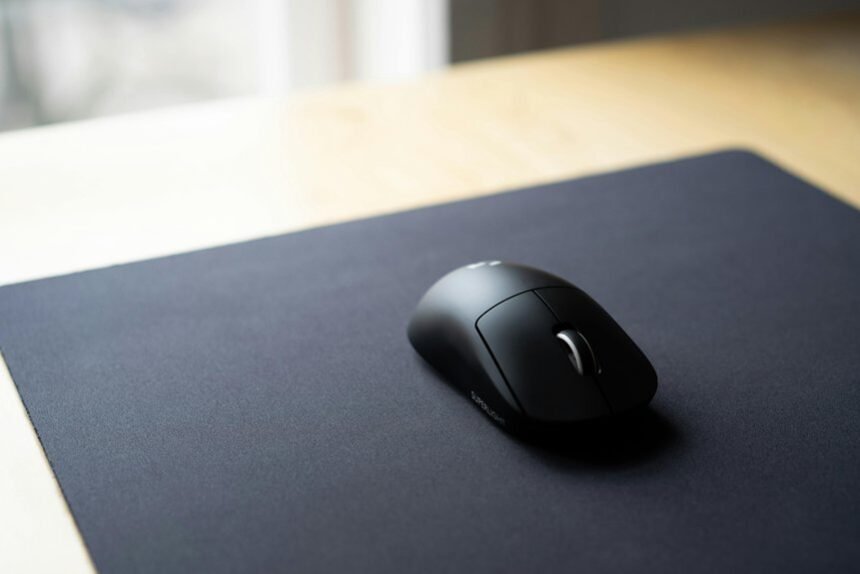
Choosing a dependable computer mouse under ₹1,000 means balancing comfort, accuracy and longevity. The market offers wired reliability, compact wireless convenience and quiet‑click options that suit office tasks and casual use. Each pick emphasizes different strengths — battery life, silent operation or simple plug‑and‑play — so understanding priorities helps narrow the field. The following selections highlight practical choices that fit common workflows and budgets.
- Logitech B100 Wired USB Ambidextrous Mouse for Computers and Laptops – Black
- Dell WM118 Wireless Optical Mouse (1000DPI, 2.4GHz, USB Nano Receiver)
- HP S1000 Plus Silent Wireless USB Computer Mouse (1600 DPI, Black)
- Cimetech Dual Mode Wireless Rechargeable Silent Mouse (Bluetooth 5.1 + 2.4G)
- Logitech M221 Wireless Silent Mouse (2.4 GHz USB Receiver, 1000 DPI)
- Factors to Consider When Choosing Computer Mice Under ₹1,000 for Everyday Use
- Grip Style and Comfort
- Sensor Type and DPI
- Wired Vs Wireless
- Battery Life and Power
- Build Quality and Buttons
- Connectivity and Latency
- Size and Portability
- Conclusion
Logitech B100 Wired USB Ambidextrous Mouse for Computers and Laptops – Black
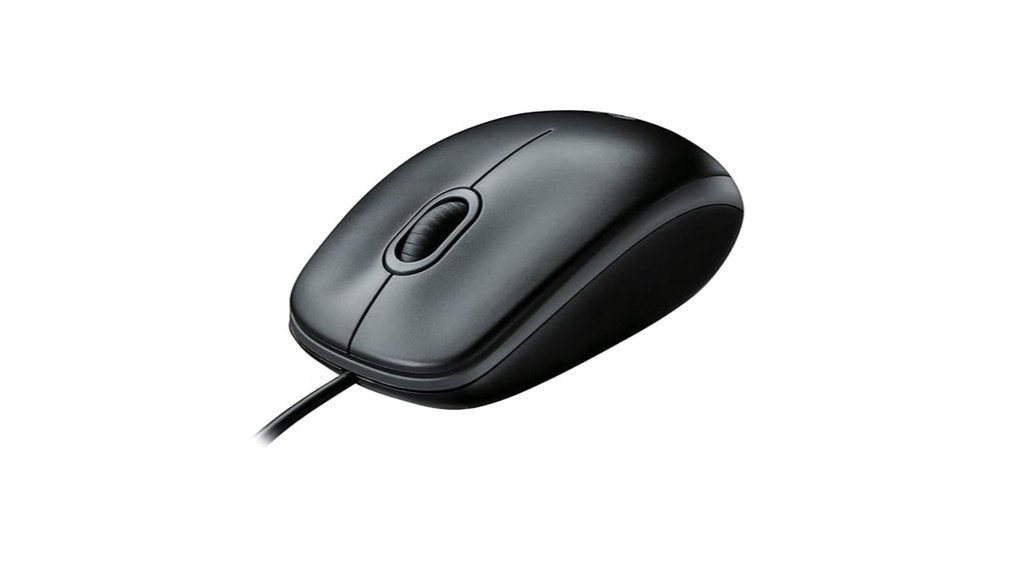
Who is the Logitech B100 best for? The B100 suits users seeking a simple, reliable wired mouse for everyday tasks—office work, web browsing, spreadsheets, and presentations. Its ambidextrous shape fits left- or right-handed use, and an 800 dpi optical sensor delivers precise cursor control. Plug-and-play via USB (or PS/2) ensures zero setup across Windows, macOS, Linux and Chrome OS. Built by Logitech with strong durability reports and high customer ratings, it serves well as a dependable backup to wireless mice. Not designed for gaming, it remains an affordable, no-frills option with a comfortable scroll wheel and long service life.
Best For: Users who want a simple, durable, no‑frills wired mouse for everyday office tasks, web browsing, and general productivity that works ambidextrously and requires zero setup.
Pros:
- Affordable, reliable build from Logitech with strong customer ratings and long-lasting performance.
- Ambidextrous design and 800 dpi optical sensor provide comfortable use and precise cursor control for left- or right-handed users.
- Plug-and-play via USB (or PS/2) across Windows, macOS, Linux, and Chrome OS — no drivers needed.
Cons:
- Not optimized for gaming or high‑DPI precision tasks.
- Basic feature set (no programmable buttons, RGB, or advanced sensors).
- Some users report the scroll wheel feel is less refined than higher-end mice.
Dell WM118 Wireless Optical Mouse (1000DPI, 2.4GHz, USB Nano Receiver)
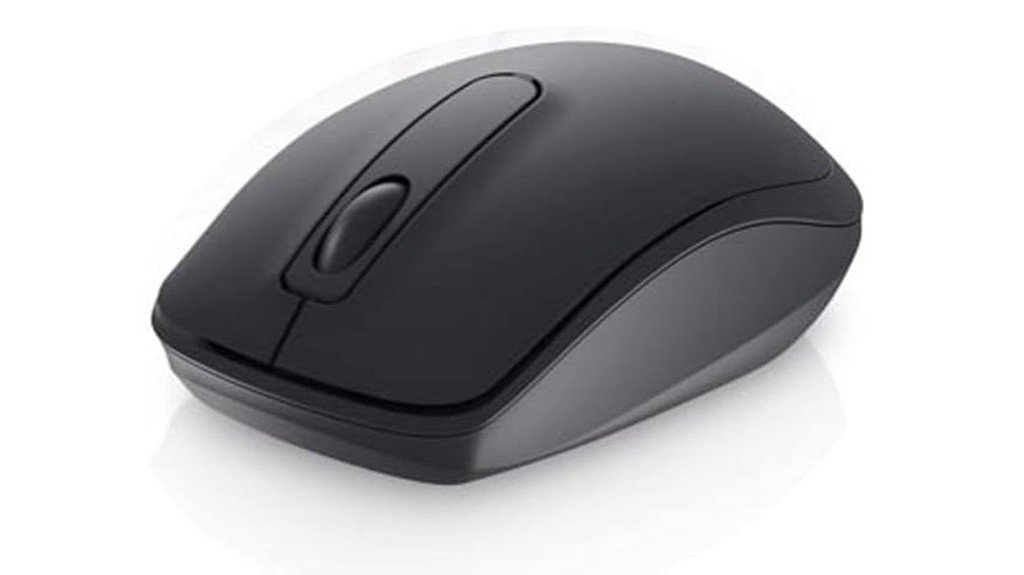
A compact, battery-powered option, the Dell WM118 Wireless Mouse (1000 DPI) is ideal for users who prioritize portability and straightforward plug-and-play connectivity. The ambidextrous, lightweight design (9.5 x 5 x 0.1 cm; 54 g) uses 1000 DPI optical tracking and a 2.4 GHz USB nano receiver for wireless connection. It requires one AA battery (included) and offers up to about 12 months of typical battery life. Compatible with laptops and PCs, including Mac, the WM118 ships with mouse, battery and dongle. Users praise sensitivity and longevity, though occasional defects and connectivity inconsistency have been reported.
Best For: Users who need a compact, lightweight, plug-and-play wireless mouse for travel or everyday laptop/PC use that prioritizes portability and long battery life.
Pros:
- Small, ambidextrous design and light weight (54 g) ideal for on-the-go use.
- Simple 2.4 GHz USB nano receiver plug-and-play connectivity with reliable 1000 DPI optical tracking.
- Long battery life (about 12 months) with one AA battery included.
Cons:
- Some users report occasional defective units (LED/optical or power failures).
- A subset of reviewers note intermittent connectivity or inconsistent wireless performance.
- Very slim dimensions (9.5 x 5 x 0.1 cm) may be uncomfortable for users preferring larger, ergonomic mice.
HP S1000 Plus Silent Wireless USB Computer Mouse (1600 DPI, Black)
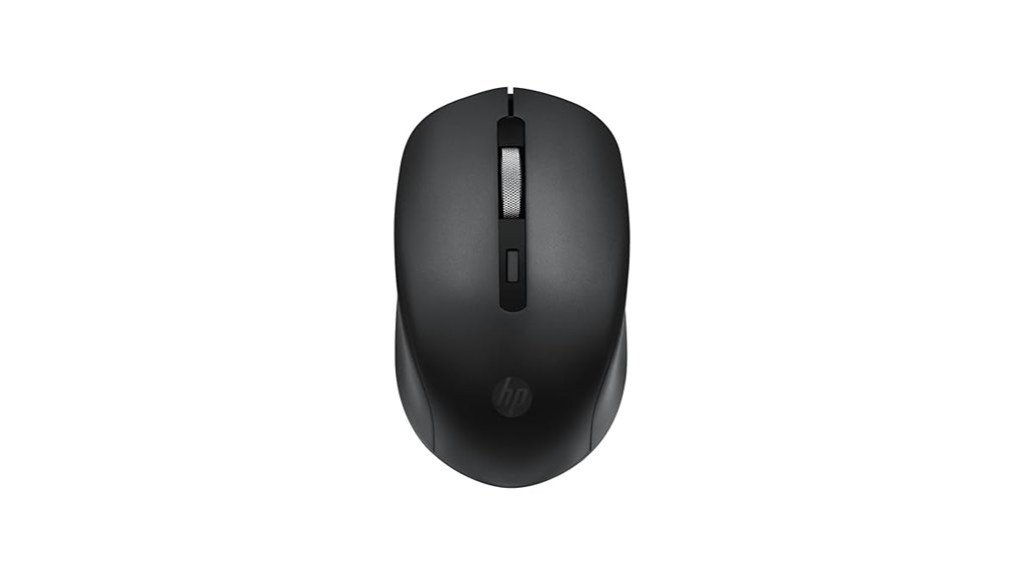
Ideal for users seeking a quiet, budget-friendly wireless mouse for everyday office or casual laptop use, the HP S1000 Plus Silent Wireless USB Mouse delivers muted left/right clicks, a 1600 DPI optical sensor, and plug-and-play USB connectivity in a compact mid-size build. It offers a DPI button, long advertised battery life (up to 24 months), and automatic reconnection after initial pairing. Reviewers praise its comfort for medium/smaller hands and accurate, low-latency cursor control for casual tasks. Reported drawbacks include limited wireless range, variable scroll-wheel feel, occasional build-quality or early-failure issues, no battery-low indicator, and inconsistent unit variations.
Best For: Ideal for users wanting a quiet, budget-friendly wireless mouse for everyday office or casual laptop use who have medium to smaller hands.
Pros:
- Quiet/muted left and right clicks make it great for shared workspaces or meetings.
- 1600 DPI optical sensor and responsive plug-and-play USB receiver provide accurate, low-latency cursor control for casual and business tasks.
- Long advertised battery life (up to 24 months) and compact mid-size, lightweight design for portability.
Cons:
- Limited wireless range and occasional choppy movement at greater distances.
- Inconsistent scroll-wheel feel (noisy or tight on some units) and variable build-quality between units.
- No battery-low indicator and isolated reports of early failures or reliability issues.
Cimetech Dual Mode Wireless Rechargeable Silent Mouse (Bluetooth 5.1 + 2.4G)
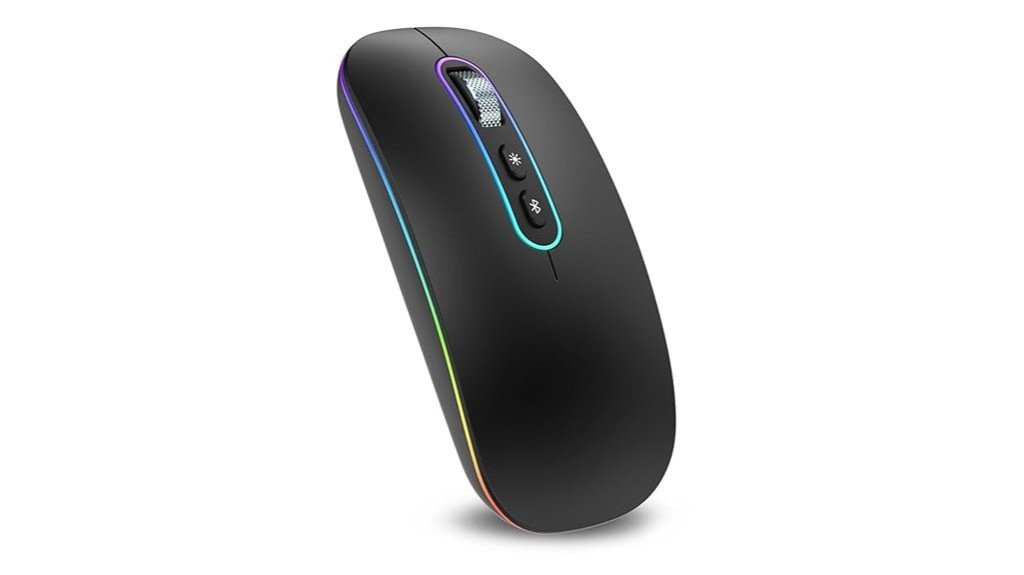
Featuring dual connectivity (Bluetooth 5.1 and a stowable 2.4G USB-A receiver) and a rechargeable 500 mAh battery, the Cimetech Dual Mode mouse suits mobile users who switch frequently between laptops, tablets, and desktops without wanting to carry extra batteries. Its ambidextrous ultra-thin ABS body (≈11.3–11.7 × 5.5–5.9 × 0.1–2.3 cm, 120 g) is portable and fits a laptop bag. Silent clicks cut noise by about 90%; optical sensor at 1200 DPI delivers smooth tracking. LEDs offer five changing colors and can be turned off. Recharge via USB-C, use while charging. Compatible with Windows, macOS, Chrome OS and Linux.
Best For: Mobile users and commuters who need a lightweight, rechargeable ambidextrous mouse that switches easily between Bluetooth and a stowable 2.4G USB-A receiver for use across laptops, tablets, and desktops.
Pros:
- Dual connectivity (Bluetooth 5.1 + stowable 2.4G USB-A receiver) for easy switching between devices.
- Rechargeable 500 mAh battery with USB-C charging (can be used while charging) and ~10 days average battery life with auto-sleep.
- Silent clicks (~90% noise reduction), ultra-thin portable ABS design, and optional LED lighting with on/off control.
Cons:
- USB-A receiver needed for 2.4G mode — newer MacBooks (≥2016) require an adapter or docking station.
- Reported occasional early failures (e.g., left button) and unclear warranty/return experiences from some users.
- Limited DPI (1200) may be insufficient for high-precision tasks or gaming.
Logitech M221 Wireless Silent Mouse (2.4 GHz USB Receiver, 1000 DPI)
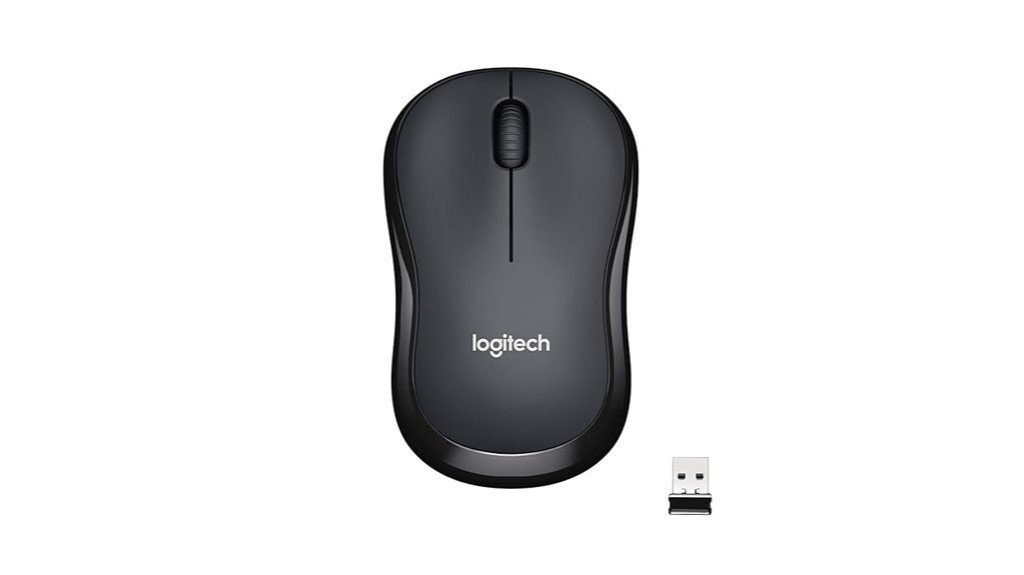
Compact, nearly silent clicks make the Logitech M221 Wireless Silent Mouse a strong choice for users who need quiet, portable pointing on a budget. The ambidextrous, mobile-sized design suits left- and right-handed users and slips into bags easily. Silent buttons reduce click noise by about 90% while preserving tactile feedback. It connects via a 2.4 GHz nano USB receiver with plug-and-play auto-connect and offers 1000 DPI optical tracking up to roughly 33 feet. Powered by a single AAA battery (included) with an advertised 18-month life, the M221 is lightweight, reliable, widely compatible, and highly rated by users.
Best For: Quiet, budget-conscious users who need a compact, portable ambidextrous mouse for everyday computing and travel.
Pros:
- Very quiet clicks (around 90% noise reduction) while keeping good tactile feedback.
- Long battery life (single AAA included, up to ~18 months) and auto-sleep power saving.
- Simple plug-and-play 2.4 GHz nano USB receiver with broad OS compatibility and reliable tracking (1000 DPI).
Cons:
- Compact/mobile size may feel too small or uncomfortable for larger hands.
- Occasional reports of intermittent defects or sensitivity when battery is weak.
- Requires use of the nano USB receiver (not Bluetooth), which can occupy a USB port.
Factors to Consider When Choosing Computer Mice Under ₹1,000 for Everyday Use
When selecting a mouse under ₹1,000 for everyday use, users should weigh grip style and comfort to ensure prolonged usability. Sensor type and DPI, along with the choice between wired and wireless models, determine tracking accuracy and convenience. Battery life, power options, build quality, and button layout complete the practical considerations for daily performance.
Grip Style and Comfort
Select a mouse that matches the user’s natural grip—palm, claw, or fingertip—because length, height, curvature, and weight directly affect long‑term comfort and control. Determine primary grip: palm (whole hand rests), claw (arched fingers, heel contacts), or fingertip (only fingertips touch). Palm users should prefer fuller bodies roughly 110–120 mm long with a higher arch to support the palm and reduce wrist flexion. Claw and fingertip users benefit from shorter, narrower designs around 95–110 mm with defined side contours and raised front button edges for precise finger control. Weight influences fatigue and precision: about 90–120 g suits palm grips; 60–100 g favors claw/fingertip, adjusted lighter for quick flicks or heavier for stability. When possible, test ergonomics in person and verify button reach, scroll placement, and fit for hand size.
Sensor Type and DPI
Grip and ergonomics determine how a mouse feels in hand, but sensor type and DPI define how it responds on screen. Optical sensors dominate budget mice, using an LED to track surface texture and delivering reliable accuracy on most desks. DPI (dots per inch) indicates cursor sensitivity; common ranges under ₹1,000 are 800–1600 DPI, with 800–1200 DPI usually adequate for office work and browsing to avoid overshooting small targets. Adjustable DPI is useful for occasional high-resolution tasks. Sensor quality also depends on surface compatibility and tracking consistency — look for low acceleration, minimal jitter, and acceptable lift-off distance in reviews rather than focusing solely on DPI. Responsiveness further relies on polling rate and firmware stability, so balance specs with real-world performance.
Wired Vs Wireless
Compare wired and wireless mice by prioritizing the user’s setup and habits: wired models offer uninterrupted, near-zero latency performance without batteries, while wireless (2.4 GHz or Bluetooth) designs trade that predictability for cable-free convenience and easier portability. Wired mice suit stationary desks where cable management is acceptable and consistent tracking is valued. Wireless mice create cleaner workspaces and are superior for laptop travel or flexible layouts but can face pairing or interference issues and need power management. For everyday productivity, modern wireless options typically match wired responsiveness, so choice hinges on mobility and tolerance for occasional connectivity quirks. Buyers should weigh desk tidiness and portability against absolute predictability, selecting the form factor that best fits typical usage patterns.
Battery Life and Power
When choosing a mouse under ₹1,000, battery life and power type should guide expectations: some models use replaceable AA/AAA cells and can run many months on a single set, while compact rechargeable units may need charging every few days to weeks. Buyers should check manufacturer runtime claims and note that energy-efficient designs can stretch AA/AAA life to 18–24 months, while compact rechargeables often quote 10 days to a few weeks. 2.4 GHz nano‑receiver mice commonly include auto-sleep and wake-on-movement, extending life; Bluetooth variants depend on host power management and may differ. Higher DPI, faster polling and active LEDs increase draw, so prioritize lower default DPI or power‑saving modes if longevity matters. For field use prefer standard cells; otherwise inspect built‑in battery mAh for realistic estimates.
Build Quality and Buttons
Build quality and button design determine how reliably a budget mouse will perform day after day. Buyers should inspect for solid-feeling plastic, tight seams and minimal creak or flex, as these reduce early mechanical failures. Button actuation matters: short, consistent travel with a crisp click points to reliable microswitches, whereas mushy or inconsistent clicks suggest inferior internals. The scroll wheel should be metal or well-ratcheted plastic with smooth detents and a textured surface for longevity and precise scrolling in browsing and documents. Primary and side buttons must be well-mounted with minimal wobble and spaced to avoid accidental presses, since poor alignment causes misclicks and uneven wear. Where available, advertised switch lifetimes or warranty terms serve as useful durability proxies.
Connectivity and Latency
For everyday use, connectivity and latency determine how smooth and reliable pointer movement feels across routine tasks. Wired USB mice provide near-zero latency and consistent responsiveness by avoiding radio transmission and battery variance, making them a dependable choice for uninterrupted office work. 2.4 GHz wireless mice with a USB nano receiver typically add very low latency (often ~8–12 ms), suitable for browsing, document editing, and video playback, though distance and RF interference can affect performance. Bluetooth mice save USB ports and lower power draw but may exhibit higher, more variable latency (commonly 10–30+ ms), especially on busy stacks. Dual-mode models offer flexibility: prefer 2.4 GHz when lower latency matters and Bluetooth when port availability or convenience is the priority.
Size and Portability
How should size and portability guide the choice of a mouse under ₹1,000? Buyers should match size to grip: fingertip and claw users prefer compact mice (≈9–11 cm), while palm grippers need mid-size models (≈11–13 cm). Weight matters for portability versus stability: 50–80 g suits laptop use and travel; 90–120 g offers steadiness for desktop sessions. Check height and width to accommodate hand span—low-profile, narrow mice (height ~25–30 mm, width ~45–55 mm) pack easily but may discomfort larger hands. Frequent travelers benefit from wireless or dual-mode mice with recessed USB-receiver storage and compact profiles. For wired options seek detachable cables or short/coilable leads; foldable or ultra-thin designs further reduce bulk without exceeding the ₹1,000 constraint.
Conclusion
For everyday users seeking reliable performance on a budget, these five mice deliver sensible choices across wired, wireless, silent and dual‑mode needs. The Logitech B100 offers simple plug‑and‑play reliability, while the Dell WM118 and Logitech M221 provide portable wireless convenience. Silent options like the HP S1000 Plus and Cimetech’s rechargeable dual‑mode model add quiet operation and connectivity flexibility. Prioritizing grip, sensor DPI and build quality ensures the best match for individual workflows and hand sizes.