In 2025, budget IPS monitors under ₹15,000 strike a balance between color fidelity and refresh-rate value for both work and casual gaming. The shortlist highlights compact 24″ high‑refresh panels and larger 27″ productivity screens, each offering adaptive sync, solid sRGB coverage and useful ergonomics. Practical tradeoffs — brightness, HDR marketing and port selection — separate good buys from compromises, so a quick comparison can save time and money.
- AOC 24G4 24-inch Fast IPS Gaming Monitor (180Hz, 1ms, HDR10, G-Sync Compatible)
- Acer Nitro VG271U 27″ WQHD IPS Gaming Monitor (180Hz, 0.5ms, HDR10)
- LG 32-inch Curved Full HD 100Hz VA Monitor (32MR50C)
- Lenovo L27i-4A 27-inch FHD 100Hz IPS Monitor (Cloud Grey)
- Dell SE2425HM 24-inch FHD IPS Monitor (100Hz, 5ms, HDMI & VGA)
- Factors to Consider When Choosing Budget Monitors With IPS Display Under ₹15,000
- Refresh Rate and Response
- Color Accuracy and Gamut
- Ergonomics and Adjustability
- Connectivity and Ports
- Brightness and HDR Support
- Conclusion
AOC 24G4 24-inch Fast IPS Gaming Monitor (180Hz, 1ms, HDR10, G-Sync Compatible)
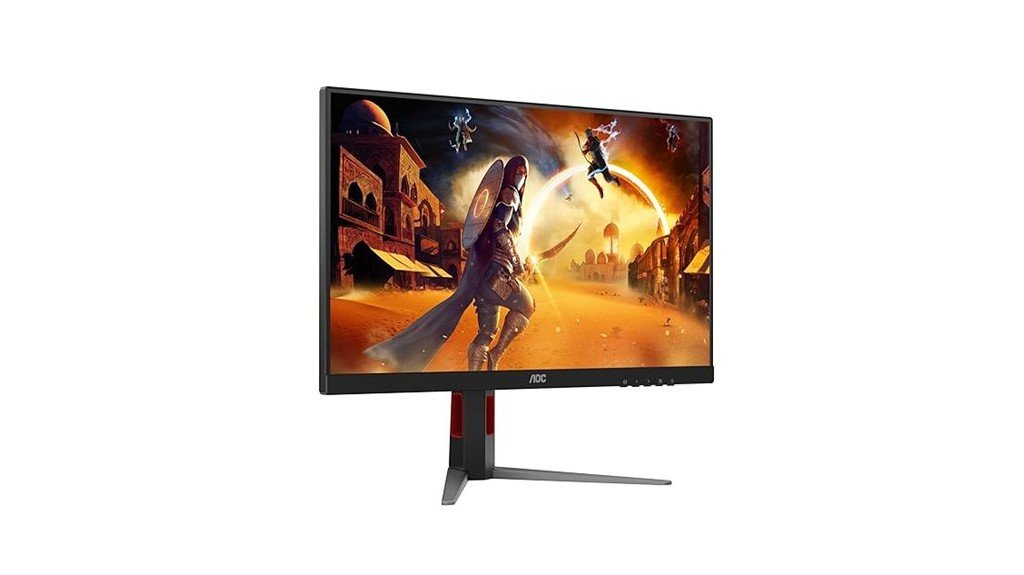
The AOC 24G4 is best suited for budget-conscious competitive gamers who prioritize high refresh rates and low latency without breaking the bank. The 23.8-inch Fast IPS panel delivers FHD 1920×1080 clarity, 180 Hz via DisplayPort (144 Hz on HDMI) and 1 ms MPRT, plus G-SYNC compatibility for tear-free play. Color reaches 126% sRGB and HDR10 is supported, though some users report banding and oversaturated HDR that benefit from calibration. The monitor includes HDMI 2.0, DisplayPort, and a height-adjustable stand. Occasional packaging and cable quality issues have been noted; overall value competes well in its segment.
Best For: Budget-conscious competitive gamers who want a high-refresh, low-latency 24-inch FHD monitor (180Hz via DisplayPort, 1ms MPRT) without spending on premium IPS options.
Pros:
- Fast IPS panel with up to 180 Hz (DisplayPort) and 1 ms MPRT for smooth, responsive gameplay.
- G-SYNC Compatible and Adaptive Sync for tear-free performance; 126% sRGB and HDR10 support for vivid colors.
- Ergonomic height-adjustable stand and compact 23.8″ size ideal for desktop gaming setups.
Cons:
- Full 180 Hz requires DisplayPort; HDMI limited to 144 Hz and included DP cable quality may be inconsistent.
- Some users report HDR oversaturation, color banding, and need for calibration for accurate colors.
- Occasional packaging and out-of-box damage reports—buyers should inspect on delivery.
Acer Nitro VG271U 27″ WQHD IPS Gaming Monitor (180Hz, 0.5ms, HDR10)
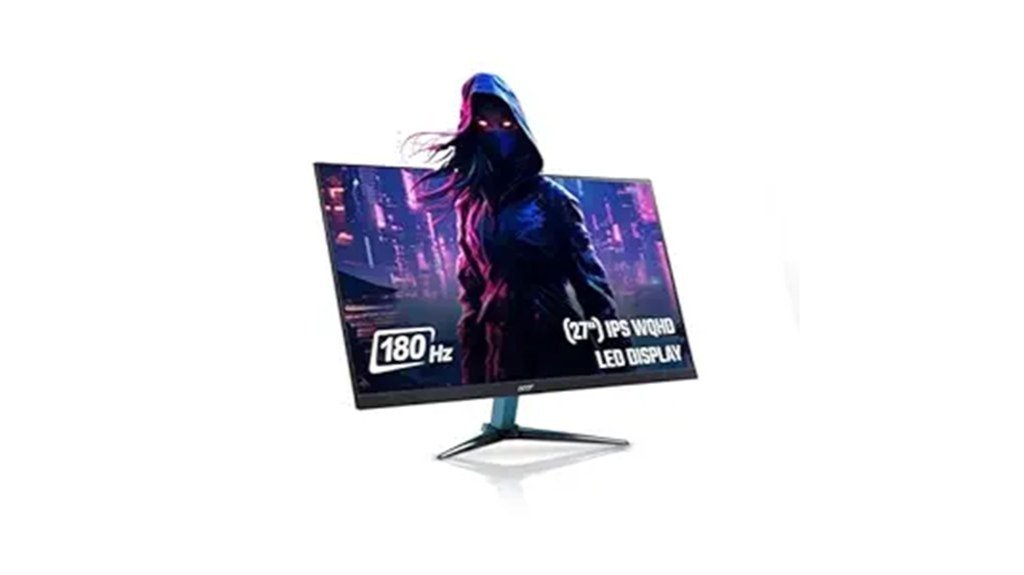
Acer’s Nitro VG271U M3 positions itself as an ideal pick for competitive gamers who want high refresh and sharp detail on a budget, offering a 27″ WQHD IPS panel with a 180 Hz refresh rate and 0.5 ms response to minimize motion blur and input lag. The monitor delivers DCI‑P3 ~95% color, HDR10 support, and strong brightness (often scaled down for comfort) with reduced ghosting and excellent perceived picture quality for gaming, video, and editing. Connectivity includes HDMI 2.0, DisplayPort 1.2, and audio out; VisionCare eye technologies, adjustable stand, decent speakers, and FreeSync add practical value despite occasional backlight bleed and no USB-C.
Best For: Competitive and value-conscious gamers who want a sharp 27″ WQHD IPS display with very high refresh (180 Hz) and low response time for smooth, detailed gameplay and versatile use for video/photo work.
Pros:
- 27″ WQHD IPS panel with 180 Hz refresh and 0.5 ms response for minimal motion blur and fluid competitive gaming.
- Wide color (DCI-P3 ~95%) and HDR10 support plus high brightness and good perceived picture quality for gaming, video, and editing.
- Useful feature set: HDMI 2.0/DP 1.2 ports, FreeSync, Acer VisionCare eye‑care, adjustable sturdy stand, and included cables.
Cons:
- No USB‑C or extra USB ports, limiting connectivity convenience for laptops/peripherals.
- Occasional backlight bleed and reported thermal/HDR brightness caveats (HDR400 vs HDR10 differences).
- Built‑in speakers are basic — adequate but not a replacement for dedicated audio.
LG 32-inch Curved Full HD 100Hz VA Monitor (32MR50C)
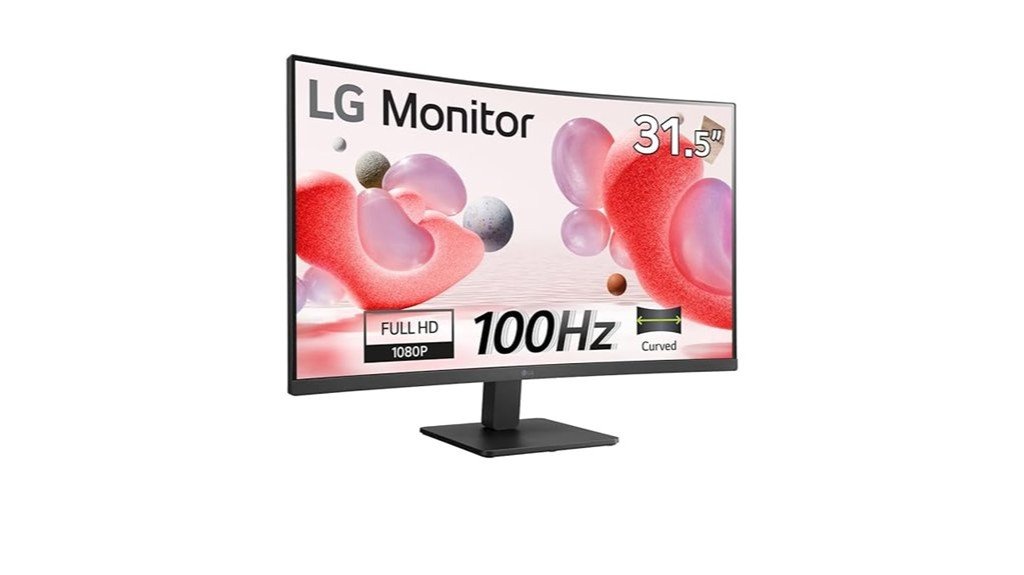
Who benefits most from the LG 32MR50C? Budget-conscious users seeking a large curved display for mixed work and casual gaming appreciate its 31.5-inch VA panel, Full HD 1920×1080 resolution and 100 Hz refresh rate. The 5 ms response, AMD FreeSync and Black Stabiliser aid smoother visuals and visibility in darker scenes. Practical features include Reader Mode, Flicker Safe and a headphone out. Connectivity offers 2×HDMI and VGA; the package includes an adapter, HDMI cable, power cord and stand. At 6.2 kg and a 3-side virtually borderless design, it rates well for value though Mac compatibility and after-sales reports vary.
Best For: Budget-conscious users who want a large 31.5″ curved VA monitor for mixed productivity and casual gaming with smoother motion at 100 Hz and useful eye-care features.
Pros:
- Large 31.5″ curved VA panel with 100 Hz and AMD FreeSync for smoother visuals and good contrast.
- Practical eye-care and usability features (Reader Mode, Flicker Safe, Black Stabiliser) plus headphone out.
- Includes needed accessories (HDMI cable, power cord, adapter, stand) and a virtually borderless 3-side design.
Cons:
- Full HD 1920×1080 on 31.5″ may appear less sharp compared with higher-resolution displays.
- Limited connectivity (2× HDMI, 1× VGA) and no DisplayPort.
- Some users report mixed Mac compatibility and variable after-sales support.
Lenovo L27i-4A 27-inch FHD 100Hz IPS Monitor (Cloud Grey)
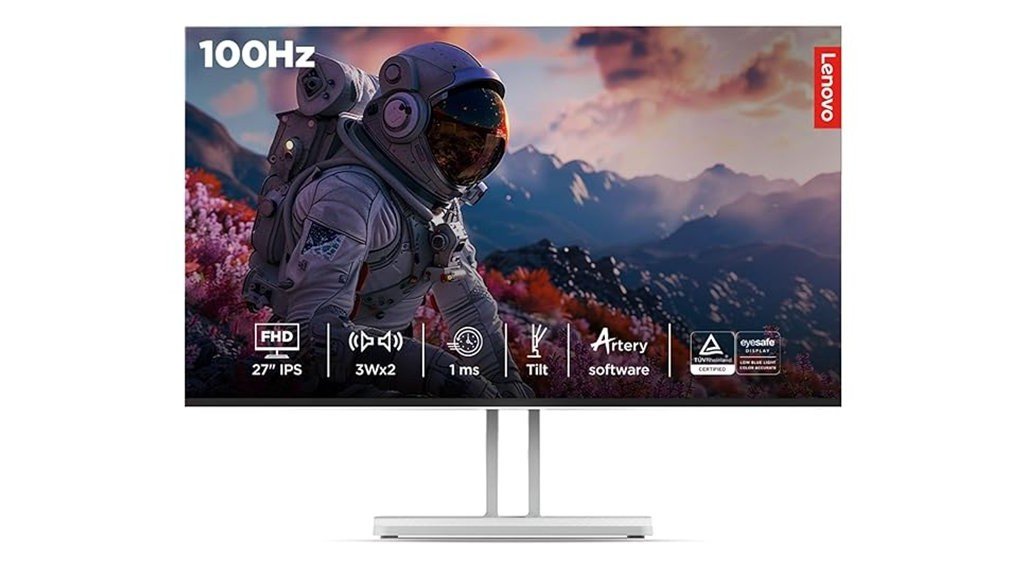
Designed for users who want a 27-inch IPS panel with smooth 100 Hz performance without breaking the bank, the Lenovo L27i-4A pairs FHD clarity and 99% sRGB coverage with Adaptive Sync to suit casual gamers, content creators, and everyday multitaskers. The 1920×1080 display delivers 300 nits, 178° viewing angles and multiple response modes (1 ms MPRT at 100 Hz). Connectivity includes dual HDMI 1.4 and VGA; dual 3 W speakers add basic audio. The Cloud Grey monitor weighs ~2.91 kg, offers tilt adjustment only, and ships with HDMI and power cables. Users praise value and color but note no height adjustment.
Best For: users seeking an affordable 27-inch IPS monitor with smooth 100 Hz performance for casual gaming, content creation, and everyday multitasking.
Pros:
- Excellent value with a 27″ FHD IPS panel, 99% sRGB, and 300 nits for vibrant color and wide viewing angles.
- Smooth motion and low-latency options (48–100 Hz, AMD FreeSync, 1 ms MPRT at 100 Hz) suitable for casual gaming.
- Includes dual HDMI, VGA, built-in stereo speakers and HDMI cable—ready to use out of the box.
Cons:
- Only tilt adjustment on the stand—no height, swivel, or pivot, and limited cable management.
- 1920×1080 resolution on a 27″ screen yields lower pixel density compared with QHD alternatives.
- HDMI 1.4 ports limit bandwidth (no DisplayPort, fewer high-refresh/HDR features).
Dell SE2425HM 24-inch FHD IPS Monitor (100Hz, 5ms, HDMI & VGA)
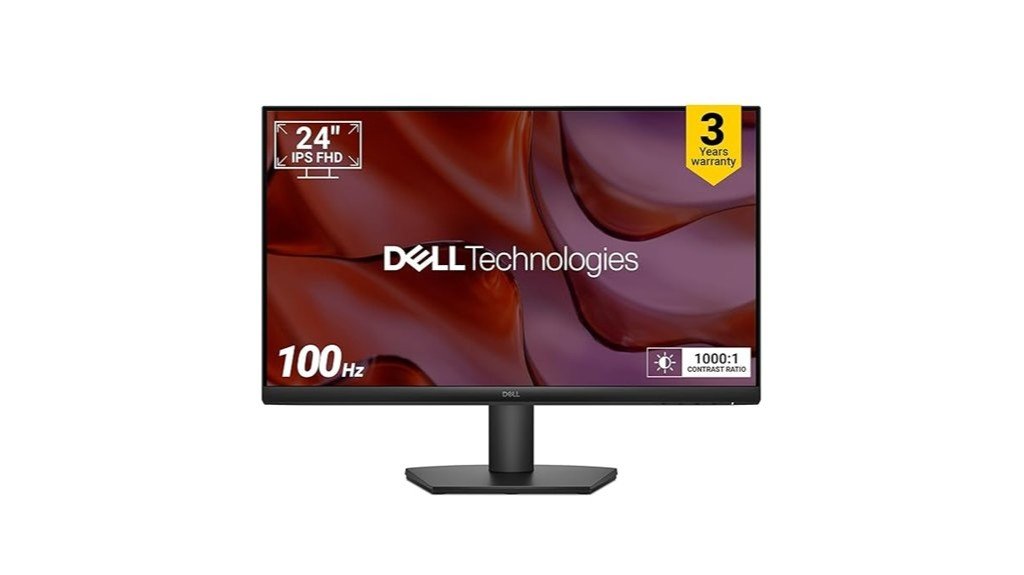
Best for users seeking smooth everyday performance on a strict budget, the Dell SE2425HM pairs a 100 Hz IPS panel with a 5 ms response time to deliver noticeably smoother motion and accurate colors for office work, casual gaming, and media. The 24″ FHD display offers 178° viewing angles, ComfortView Plus (TÜV Rheinland 3-Star) for reduced blue light, and ultra-thin bezels for a clean setup. Connectivity is basic: one HDMI and one VGA; DisplayPort is absent. Included accessories cover HDMI and power cables, and Dell provides a three-year warranty. Customers praise picture quality and value, while noting a plastic stand and mixed build impressions.
Best For: Budget-conscious users who want a smooth 24″ FHD IPS display for office work, casual gaming, and media with reduced blue light and wide viewing angles.
Pros:
- 100 Hz IPS panel with 5 ms response delivers smoother motion and accurate colours for everyday use and casual gaming.
- ComfortView Plus (TÜV Rheinland 3-Star) reduces harmful blue light without sacrificing colour accuracy.
- Includes HDMI and power cables plus a 3-year warranty; good value and positive picture-quality feedback.
Cons:
- Limited connectivity (only one HDMI and one VGA; no DisplayPort).
- Build quality is mixed—basic plastic stand and simpler design.
- 24″ FHD resolution may be modest for users wanting higher pixel density or professional-grade colour work.
Factors to Consider When Choosing Budget Monitors With IPS Display Under ₹15,000
When selecting a budget IPS monitor under ₹15,000, buyers should weigh refresh rate and response time against intended use to balance smoothness and cost. Color accuracy, gamut coverage, brightness and HDR support determine visual fidelity for content work or media consumption. Practical factors like ergonomics, adjustability and available ports shape daily comfort and connectivity options.
Refresh Rate and Response
Several key specs determine how smooth and responsive an IPS monitor feels in use: refresh rate, response time, connection compatibility, and adaptive‑sync support. Higher refresh rates (100–144 Hz) offer noticeably smoother motion and lower perceived input lag than 60 Hz and are commonly available in budget IPS models under ₹15,000. Faster response times—listed as GtG or MPRT, typically 1–4 ms—help reduce ghosting; manufacturers use differing measurement methods, so verify with independent reviews. Ensure the chosen cable/port and GPU can deliver the panel’s rated Hz at the intended resolution (check DisplayPort/HDMI versions). Variable refresh technologies (FreeSync/Adaptive‑Sync/G‑Sync Compatible) and a usable refresh range (for example 48–144 Hz) prevent tearing when frame rates vary. Confirm specs apply at native resolution and in real‑world modes.
Color Accuracy and Gamut
After considering refresh rate and response characteristics, color accuracy and gamut become the next priority for users who edit images, design for the web, or simply want faithful color reproduction. Buyers should target monitors advertising ~99% sRGB or higher for reliable web work and general content creation, and inspect Delta E where available — <2 denotes good accuracy, <1 approaches professional levels. Factory calibration with an included report or support for hardware/software calibration via a third‑party colorimeter improves out‑of‑box fidelity. Wide‑gamut panels (>100% sRGB or extended DCI‑P3) can oversaturate sRGB content unless the monitor offers accurate color management or an sRGB emulation mode. Finally, prefer true 8‑bit or 10‑bit/FRC panels to minimize banding in gradients for color‑critical photo and video work.
Ergonomics and Adjustability
Why prioritize ergonomics? Buyers should favor monitors with at least tilt and height adjustment so the screen sits at eye level and reduces neck strain during long sessions. Swivel and 90° pivot add flexibility for switching between landscape and portrait workflows, improving efficiency and desk use. VESA mount compatibility (commonly 75×75 mm) allows aftermarket arms or stands for better posture and multi-monitor layouts. Inspect stand stability and footprint: wider, heavier bases minimize wobble from typing or touch and preserve usable desk area. Finally, check bezel thickness and integrated cable-management on the stand to reduce visual clutter and keep cables routed away from the workspace. These features together promote comfort and sustained productivity.
Connectivity and Ports
Ergonomic choices set the physical stage for a productive workspace, but the ports and connections determine how devices actually plug in and communicate. Buyers should prioritize at least one DisplayPort input alongside HDMI to access higher refresh rates and full GPU bandwidth. Confirm the HDMI version—HDMI 2.0 or newer is necessary for 144 Hz+ at higher resolutions, whereas HDMI 1.4 can be limiting. Multiple video inputs (HDMI, DisplayPort, and optionally VGA) make switching between PCs, consoles, and laptops effortless. Check for audio-out or built-in speakers when routing sound to headphones or external speakers. Consider USB ports or USB‑C for peripherals and single‑cable workflows, while noting that many budget IPS models under ₹15,000 often omit USB‑C.
Brightness and HDR Support
Brightness and HDR support determine how well an IPS monitor renders everyday content and high‑dynamic‑range imagery: for typical indoor use a peak brightness of about 250–350 nits is adequate, while values below ~200 nits will feel dim and anything above ~300 nits improves visibility and HDR highlights. Buyers should note HDR10 labels on budget IPS models often only signal metadata support; real HDR requires >400 nits and ideally local dimming. Manufacturers may quote peak (specular) versus typical brightness and use 8‑bit + FRC to simulate 10‑bit color, so independent measurements matter. IPS panels tend to have higher black levels, so contrast and black performance affect perceived HDR. Finally, verify HDMI/DisplayPort bandwidth for HDR at the desired resolution and refresh rate.
Conclusion
Budget IPS monitors under ₹15,000 in 2025 deliver impressive value, blending accurate color, responsive refresh rates and useful ergonomics for both work and casual gaming. Compact 24–27″ panels suit users seeking smoother motion and sharper productivity, while larger 27–32″ options prioritize screen real estate. Buyers should verify connectivity, refresh-rate support and inspect units for backlight uniformity on delivery. Prioritizing ports, adaptive sync and realistic HDR claims ensures the best performance within this price bracket.