The guide outlines five gaming monitors under ₹20,000 that balance high refresh rates, low response times and modern features for competitive play. It compares curved VA and IPS options across resolutions, adaptive‑sync support and connectivity, noting trade‑offs like VA ghosting and ergonomics. Practical recommendations target different priorities — size, refresh rate or color — and hint at which model suits a specific setup, inviting a closer look.
- LG Ultragear 32-inch QHD 1000R Curved Gaming Monitor (32GS60QC)
- Acer Nitro VG271U 27″ WQHD Gaming Monitor
- Lenovo Legion R27fc-30 27-inch FHD 240Hz Gaming Monitor
- Samsung Odyssey G5 27″ QHD 2K Gaming Monitor (165Hz, 1ms, HDR10, FreeSync Premium)
- Dell SE2425HG 23.8″ FHD IPS Gaming Monitor (200Hz, 1ms, AMD FreeSync Premium)
- Factors to Consider When Choosing 5 Gaming Monitors Under ₹20,000
- Refresh Rate & Response
- Resolution & Pixel Density
- Panel Type Tradeoffs
- Adaptive Sync Support
- Ergonomics & Adjustability
- Color Accuracy & Gamut
- Ports & Connectivity
- Conclusion
LG Ultragear 32-inch QHD 1000R Curved Gaming Monitor (32GS60QC)
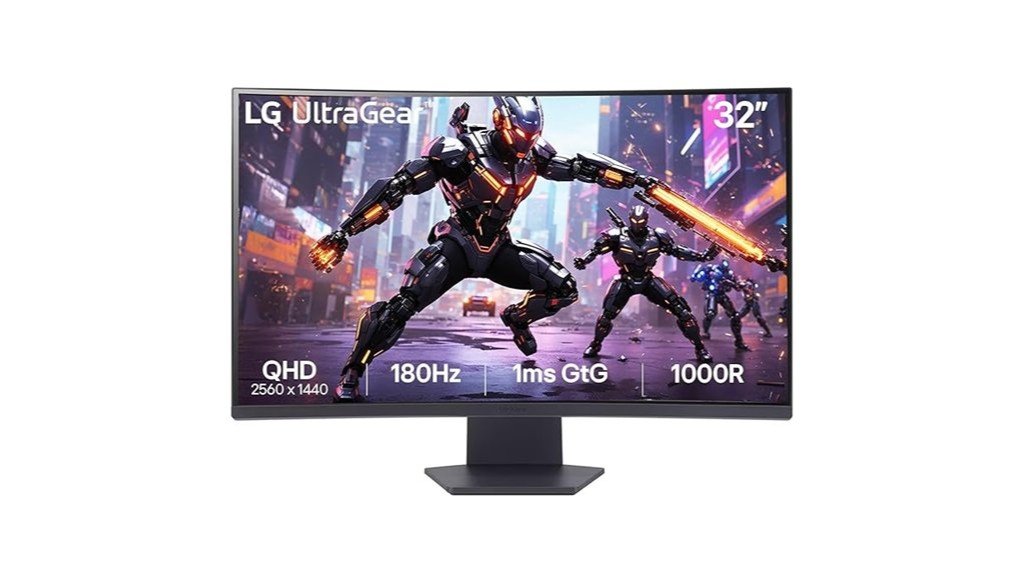
The LG Ultragear 32GS60QC is aimed at casual and competitive gamers who want an immersive large-screen experience on a budget: its 32″ QHD VA panel with a steep 1000R curve, up to 180 Hz over DisplayPort and 1 ms (GtG) response time delivers smooth, punchy gameplay and deep blacks, while features like sRGB ~99% coverage and three-side thin bezels add consumer-grade color and a clean desktop look. Priced attractively under ₹20,000, it offers solid build, DisplayPort 180 Hz, HDR10 (limited), FreeSync, and matte coating. Buyers should note VA viewing-angle limits, occasional ghosting, and unit variability.
Best For: Casual and competitive gamers who want an immersive large 32″ QHD curved display with high refresh rates and strong blacks on a budget.
Pros:
- Immersive 1000R 32″ VA panel with deep blacks and vivid, punchy colors (sRGB ~99%).
- High refresh over DisplayPort (up to 180 Hz) and 1 ms (GtG) response for smooth gameplay; AMD FreeSync support.
- Solid build and three-side virtually borderless design at a value price point under ₹20,000.
Cons:
- Typical VA limitations: narrower viewing angles, noticeable pixelation at 32″ QHD for some users, and occasional ghosting in fast-motion scenes.
- HDR10 is supported but delivers limited real-world HDR performance and inconsistent HDR behavior on some laptops/HDMI setups.
- Unit variability and some reported backlight/uniformity defects; occasional missing HDMI cable and mixed after-sales support experiences.
Acer Nitro VG271U 27″ WQHD Gaming Monitor
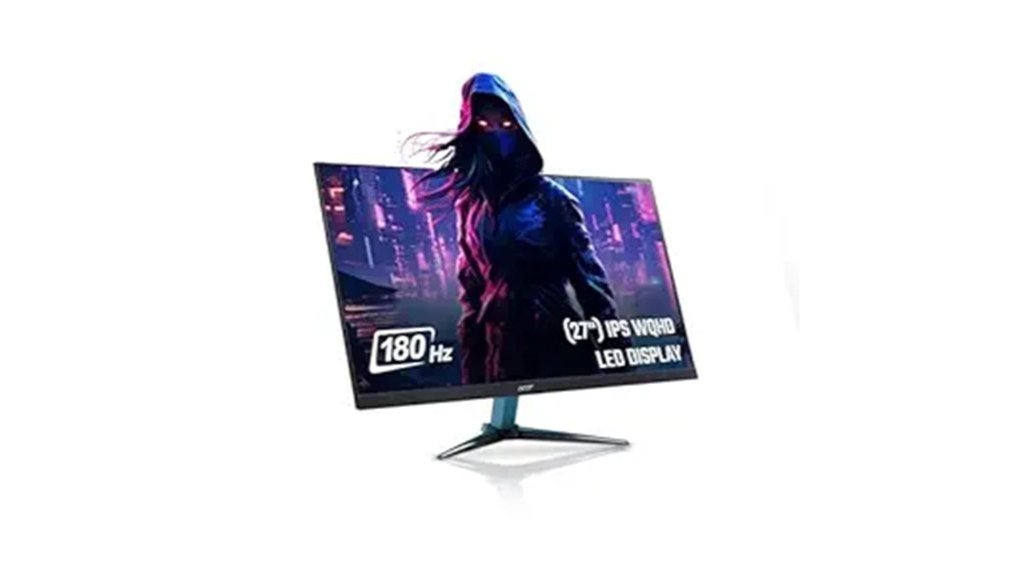
Acer’s Nitro VG271U M3 stands out for combining a 27″ WQHD IPS panel with a blistering 180 Hz refresh rate, making it an appealing pick for competitive gamers who also want sharp image quality for media and content work. The monitor offers 2560×1440 resolution, 0.5 ms response, DCI‑P3 ~95% coverage and HDR10 support, delivering vivid, low‑ghosting visuals. Connectivity includes 2×HDMI 2.0, DisplayPort 1.2 and audio out; built‑in stereo speakers and Acer Display Widget add convenience. Ergonomics are solid with height/tilt adjustability and VisionCare eye‑tech. Drawbacks: no USB‑C/USB, occasional backlight bleed and warm HDR operation.
Best For: Competitive gamers who want a sharp 27″ WQHD IPS display with very high refresh (180 Hz) and good color for media/creative work.
Pros:
- 2560×1440 IPS panel with 180 Hz refresh and 0.5 ms response delivers smooth, low-ghosting gameplay.
- Strong color coverage (~95% DCI‑P3) and HDR10 support for vivid images and content work.
- Solid ergonomics (height/tilt), VisionCare eye‑tech, and convenient HDMI/DisplayPort connectivity.
Cons:
- No USB‑C or downstream USB ports, limiting connectivity for laptops/peripherals.
- Some units show backlight bleed and HDR can run warm — may require replacement or lower brightness.
- Lacks the latest DisplayPort/HDMI feature set (DP 1.2, HDMI 2.0) compared with newer alternatives.
Lenovo Legion R27fc-30 27-inch FHD 240Hz Gaming Monitor
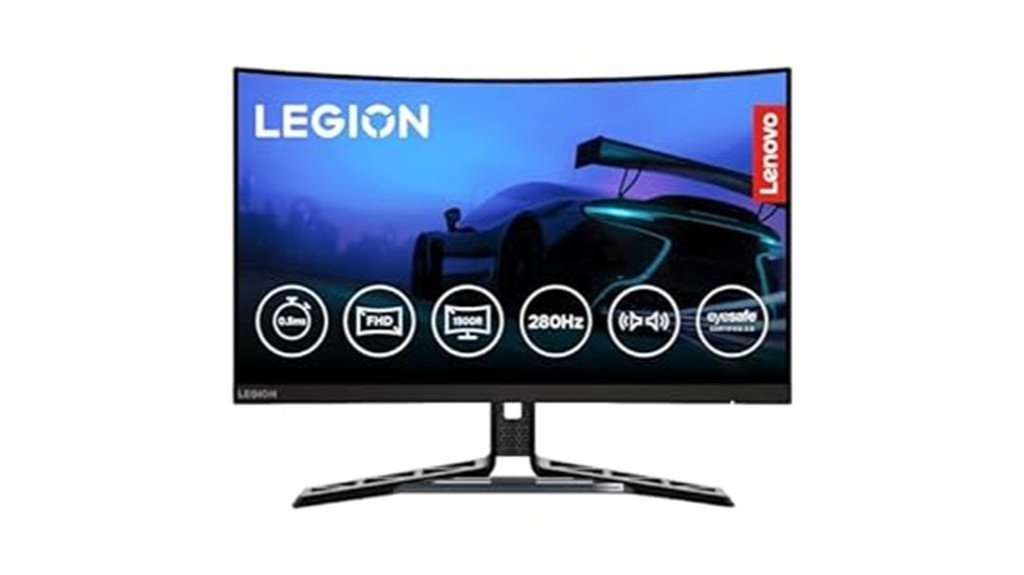
Designed for competitive gamers seeking ultra-smooth gameplay on a budget, the Lenovo Legion R27fc-30 pairs a 27-inch curved VA panel with a native 240 Hz refresh rate (briefly overclockable to 280 Hz) and 0.5 ms MPRT to minimize motion blur and input lag. It offers FHD 1920×1080 resolution, 350 nits brightness, 99% sRGB/90% DCI-P3 coverage and deep VA blacks, suitable for gaming and general use but not colour-critical work. Connectivity includes two HDMI 2.1 ports and DisplayPort 1.4; AMD FreeSync, VESA Adaptive Sync and G-SYNC compatibility reduce tearing. Adjustable stand, built-in speakers, Lenovo software and solid value round out the package.
Best For: Competitive gamers and general users who want ultra-smooth 240 Hz curved gaming performance on a budget with solid connectivity and ergonomic adjustability.
Pros:
- 27″ curved VA panel with 240 Hz (briefly overclockable to 280 Hz) and 0.5 ms MPRT for very smooth, low‑lag gameplay.
- Good colour coverage (99% sRGB / 90% DCI‑P3), 350 nits brightness and deep VA blacks — great for gaming and everyday use.
- HDMI 2.1 (x2) and DP 1.4, AMD FreeSync / VESA Adaptive Sync and G‑SYNC Compatible support, plus adjustable stand and bundled Lenovo software.
Cons:
- FHD 1920×1080 on a 27″ screen may appear less sharp for some users and is not ideal for colour‑critical professional work.
- Overclock to 280 Hz is time‑limited/limited in duration and not a permanent guarantee.
- Built‑in speakers and overall colour accuracy are average; audio and professional editing performance are underwhelming.
Samsung Odyssey G5 27″ QHD 2K Gaming Monitor (165Hz, 1ms, HDR10, FreeSync Premium)
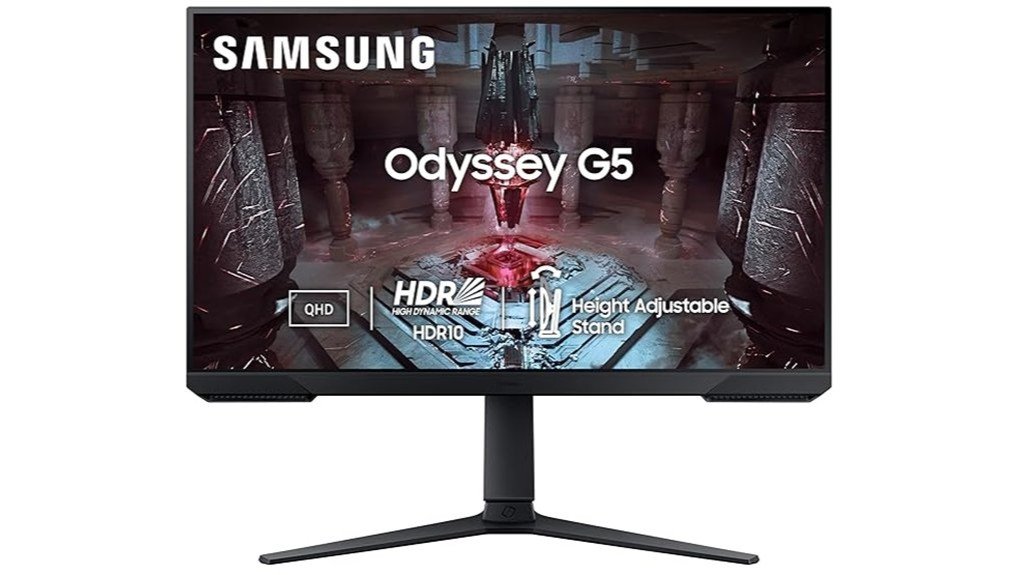
Who benefits most from the Samsung Odyssey G5 27″ is a gamer seeking a sharp QHD experience with fast refresh rates without breaking the bank. The 27″ VA panel delivers 2560×1440 clarity, 165Hz refresh and 1ms response, aided by FreeSync Premium and HDR10 for smoother, punchier gameplay. A 3000:1 contrast and 300 nits brightness suit darker scenes; 72% NTSC color and 178° viewing angles help general content work. Connectivity includes DP 1.4, two HDMI and a headphone jack; package lists a DP cable. Pros: value, responsiveness, sturdy build. Cons: backlight uniformity, no speakers, menu/stand quibbles. Warranty: 3 years.
Best For: A gamer who wants a sharp 27″ QHD display with high refresh (165Hz) and low latency (1ms) for smooth, responsive gameplay at a budget-friendly price.
Pros:
- 2560×1440 VA panel with 165Hz and 1ms delivers sharp visuals and responsive performance for gaming.
- High contrast (3000:1) and HDR10 support improve dark-scene detail and punchier image quality.
- Good value, sturdy build, FreeSync Premium support, and a 3-year manufacturer warranty.
Cons:
- Possible backlight/white uniformity issues and color/tint shifts at angles can affect critical color work.
- No built-in speakers or Bluetooth; included cables may vary (DP cable typically included, HDMI sometimes absent).
- Stand/menu controls and swivel mechanism receive mixed user feedback for stiffness and usability.
Dell SE2425HG 23.8″ FHD IPS Gaming Monitor (200Hz, 1ms, AMD FreeSync Premium)
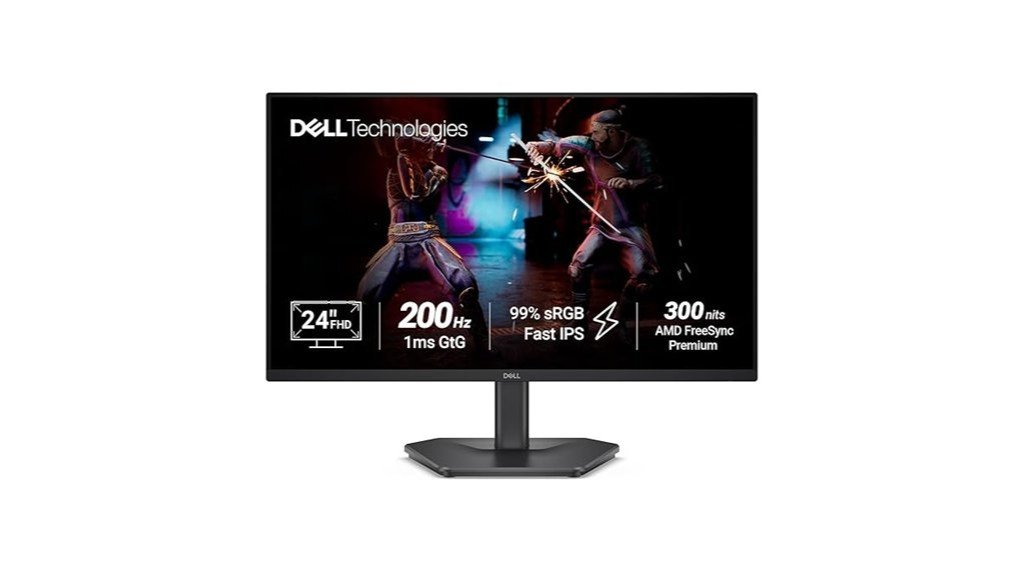
For gamers seeking a fast, color-accurate 24-inch display under ₹20,000, the Dell SE2425HG stands out with its 200 Hz IPS panel and 1 ms GtG response time, delivering fluid motion and quick inputs while retaining wide viewing angles and 99% sRGB coverage. The 23.8″ FHD (1920×1080) screen offers 300 nits brightness, 1000:1 contrast and HDR10 support. Connectivity includes two HDMI 2.1 (TDMS) ports and DisplayPort 1.4, with AMD FreeSync Premium and HDMI VRR for tear-free play. Weighing 3.19 kg, the tilting stand ships with HDMI and power cables; reviews praise color and value, noting a plastic stand.
Best For: Gamers and budget-conscious enthusiasts who want a fast, color-accurate 24″ 200 Hz IPS monitor with low latency and modern connectivity for PC and console play.
Pros:
- 200 Hz refresh rate with 1 ms GtG on an IPS panel delivers very smooth motion and quick response while maintaining wide viewing angles and good color.
- 99% sRGB coverage, 300 nits brightness, 1000:1 contrast and HDR10 support provide strong color accuracy and good image quality for gaming and content work.
- Modern connectivity (2× HDMI 2.1 TDMS, DisplayPort 1.4) plus AMD FreeSync Premium and HDMI VRR ensure tear-free performance across PC and consoles.
Cons:
- 23.8″ FHD (1920×1080) resolution may be limited for users who prefer higher pixel density on larger screens.
- Stand quality is mostly plastic and only offers tilt adjustment, lacking height, swivel, or pivot ergonomics.
- Some users may find 300 nits insufficient for very bright rooms and HDR10 implementation is limited on a VESA DisplayHDR non-certified panel.
Factors to Consider When Choosing 5 Gaming Monitors Under ₹20,000
When comparing five gaming monitors under ₹20,000, attention focuses on core performance and ergonomics. Key considerations include refresh rate and response time for motion clarity, resolution and pixel density for image sharpness, and panel-type tradeoffs that affect color and viewing angles. Buyers should also check for adaptive sync support and ergonomic adjustability to match system compatibility and comfortable long-term use.
Refresh Rate & Response
Why consider refresh rate and response together? Higher refresh rates (144–240 Hz) shorten frame intervals, producing noticeably smoother motion in fast-paced competitive games, while low pixel response times (1–0.5 ms GtG/MPRT) cut motion blur and ghosting during rapid scene changes. Together they define perceived motion clarity. Buyers should match monitor Hz with GPU output using adaptive-sync/VRR to prevent tearing and stutter; a high-Hz panel is wasted if the system cannot sustain comparable FPS. Be mindful of trade-offs: very high refresh models may use TN, fast‑IPS, or special modes that compromise contrast or colour depth versus slower panels. Finally, confirm the monitor’s input and cable support (DisplayPort/HDMI versions) for the advertised refresh at the intended resolution.
Resolution & Pixel Density
In assessing resolution and pixel density, shoppers should weigh sharpness against performance: higher resolutions like 2560×1440 increase clarity and workspace but can shrink UI elements on screens under ~27″ and demand more GPU power, while 1080p on 24–27″ panels delivers higher frame rates and smoother competitive play at the cost of detail. Pixel density (PPI) determines perceived sharpness; around 90–110 PPI at typical desktop distances is a clear baseline, while lower PPI may reveal pixels. Buyers should balance GPU capability and desired refresh rate so the card can sustain high fps at the monitor’s native resolution. Consider workspace needs: QHD yields more on-screen real estate for multitasking and content detail, 1080p eases GPU load for fast-paced gaming.
Panel Type Tradeoffs
Resolution choices set the stage for panel selection, since the visible detail and GPU load determine which screen characteristics matter most. IPS panels provide the best color accuracy and wide viewing angles at this price, suiting users who prioritize vibrant, consistent colors and off-axis clarity. VA panels offer superior native contrast and deeper blacks, enhancing perceived HDR depth and dark-scene detail, though they may exhibit slower pixel transitions and some ghosting in fast motion. TN panels, now rarer, deliver the quickest response times and lowest input lag for competitive play but compromise color and viewing angles. True OLED-like contrast and instantaneous response are uncommon under ₹20,000; higher refresh rates often pair with TN or VA, while IPS balances refresh and color. Choose by priority: speed, fidelity, or contrast.
Adaptive Sync Support
How does adaptive sync affect real-world play? Adaptive sync technologies (FreeSync, G‑SYNC Compatible, VESA Adaptive‑Sync) match monitor refresh to GPU frame output, removing tearing and stutter for smoother gameplay at variable frame rates. Buyers should check the supported refresh range (for example 48–144 Hz); adaptive sync only operates within that window, and frames below it may rely on LFC or still exhibit issues. Confirm explicit vendor compatibility: some models are AMD‑certified while others work as G‑SYNC Compatible with NVIDIA — don’t assume cross‑support. Connection type matters: DisplayPort usually provides full adaptive sync and higher refresh, while some HDMI versions or laptop outputs may limit features. Finally, verify driver/OS requirements and that adaptive sync is enabled both in the monitor OSD and GPU control panel.
Ergonomics & Adjustability
After confirming adaptive sync and connection compatibility, attention should shift to ergonomics and adjustability, since long gaming sessions magnify any mismatch between screen position and posture. Look for height-adjustable stands with at least 100 mm of range plus tilt and swivel to place the screen centre at eye level and reduce neck strain. Confirm VESA mount compatibility (75×75 mm or 100×100 mm) to enable aftermarket arms for improved posture and multi-monitor setups. Check for pivot/rotation when vertical layouts or text work are expected; a 90° rotation can cut head movement. Evaluate stand stability and base footprint — heavy, low-profile bases minimise wobble and save desk depth. Prefer monitors with rear cable management or routing to avoid tension that shifts the screen.
Color Accuracy & Gamut
Why does color accuracy matter for gamers and creators alike? Accurate color and wide gamut ensure games look vivid and creators can trust what they see. Buyers should aim for roughly 99% sRGB or ~90% DCI‑P3 coverage; substantially lower gamuts yield dull or inaccurate tones unsuitable for color‑critical work. Delta E metrics help: ≤2 is good out of the box, while ≤1 or hardware calibration suits pro tasks. Panel choice matters — IPS typically delivers better viewing angles and uniformity than VA or TN, which may shift hues. Check for factory calibration, useful presets (sRGB/Adobe RGB/Custom) and support for hardware/software calibration. Finally, verify HDR or wide‑gamut claims with native gamut percentages and peak luminance rather than marketing language.
Ports & Connectivity
When choosing gaming monitors under ₹20,000, ports and connectivity determine whether a display can deliver its advertised refresh rate, resolution, and audio functionality across multiple devices. Buyers should prioritise at least one DisplayPort 1.2 (or higher) to unlock full high-refresh performance (144–240 Hz) on FHD/QHD panels, since some HDMI implementations limit refresh rates. HDMI 2.0 or 2.1 is important for modern consoles and laptops to avoid caps on resolution or frame rate. Multiple inputs—commonly 2× HDMI plus 1× DP—simplify switching between PC, console and streaming hardware. An audio output (3.5 mm) or built-in speakers and confirmed HDMI/DP audio passthrough provide basic sound without external speakers. Finally, verify included high-speed HDMI/DP cables or budget for compatible cables to achieve rated specs.
Conclusion
Choosing the right gaming monitor under ₹20,000 requires balancing refresh rate, response time, panel type, and resolution against personal priorities like immersion, competitive play, and color accuracy. The listed models—spanning curved VA QHD, fast-refresh FHD, and IPS options—offer compelling value by delivering high refresh rates, adaptive‑sync support, and varied ergonomics. Buyers should weigh ghosting, viewing angles, and connectivity to match hardware and genre preferences for the best gaming experience.