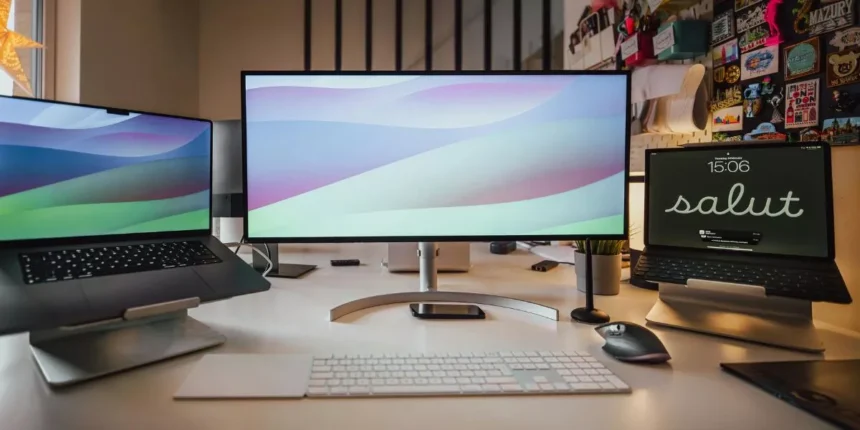
Choosing the right monitor means matching features to what you actually do most: productivity benefits from a 27″ 1440p IPS with ergonomic options, gaming demands high refresh and low latency, and content creation needs wide gamut and hardware calibration. I’ll outline the key specs to prioritize for each use case and give solid model recommendations so you can pick the best balance for your setup—depending on whether you favor clarity, speed, or color accuracy.
How to Choose the Right Monitor Features for Your Needs
When choosing a monitor, start by matching its core features to what you actually do—work, game, or create content—so you won’t overpay for specs you don’t need.
Think about resolution and screen size: higher resolution gives more workspace and sharper images, but you’ll need a GPU that can drive it. Prioritize refresh rate and response time if you play fast-paced games; for productivity, focus on pixel density and multi-window comfort.
Color accuracy and wide gamut matter most if you edit photos or video—look for factory calibration and coverage of sRGB/Adobe RGB.
Also weigh ergonomics, connectivity, and panel type: IPS for color and viewing angles, VA for contrast, TN for speed.
Set a realistic budget and choose the combination that fits your primary tasks.
Best Monitors for Productivity and Office Work
If you spend most of your day on spreadsheets, documents, or video calls, pick a monitor that boosts comfort and efficiency: prioritize a size and resolution that fit your workspace, an ergonomic stand or VESA mount, and a panel with good viewing angles (IPS) and accurate text rendering.
For single-monitor setups, 27″ at 1440p balances screen real estate and sharpness; go 24″–25″ for tight desks or 32″ if you need heavy multitasking.
Look for flicker-free backlights, low blue light modes, and reliable color so text and charts remain clear during long sessions. Built-in USB-C with power delivery simplifies laptop docks, while multiple inputs and a KVM switch help if you juggle devices. Matte panels reduce glare for bright offices.
Top Picks for Gaming: High Refresh and Low Latency
Chase smoother, more responsive gameplay by choosing a monitor that prioritizes high refresh rates and low input lag — essential for competitive and fast-paced titles.
Look for 144Hz as a baseline; 240Hz or 360Hz gives a tangible edge if your GPU can sustain frame rates.
Prioritize pixel response time (TN and fast IPS panels usually excel) and verified input lag measurements rather than manufacturer claims.
Adaptive sync—G-SYNC or FreeSync Premium—reduces tearing without adding latency.
Size and resolution matter: 1080p pairs well with ultra-high refresh on midrange GPUs, while 1440p balances clarity and speed for stronger systems.
Finally, check connectivity (DisplayPort for high refresh), ergonomic adjustability, and reliable firmware updates to keep performance consistent.
Monitors for Content Creators: Color Accuracy and Resolution
Because color fidelity and detail define your work, pick a monitor that delivers accurate color reproduction, wide gamut coverage, and enough resolution to see fine detail without constant zooming. You’ll want IPS or OLED panels for consistent viewing angles and true colors; look for factory calibration or support for hardware calibration.
Aim for at least 99% sRGB and 90% DCI-P3 if you work for web and video, or full Adobe RGB for high-end print. Choose 27″ or larger with 1440p for sharpness, or 4K if you need pixel-level precision.
Check for uniformity reports, low Delta E (<2), and good contrast. Finally, ensure reliable connectivity (DisplayPort, USB-C) and a hood or matte finish to control glare.
Conclusion
Choose the monitor that matches how you work and play. For productivity, pick a 27″ 1440p IPS with ergonomic adjustability, flicker‑free backlight, matte finish, and USB‑C power. For gaming, prioritize high refresh (144Hz+), low input lag, fast response panels, and adaptive sync. For content creation, go for larger IPS or OLED panels with wide gamut, hardware calibration, low Delta‑E, and higher resolution. Match specs to tasks and your GPU for best results.