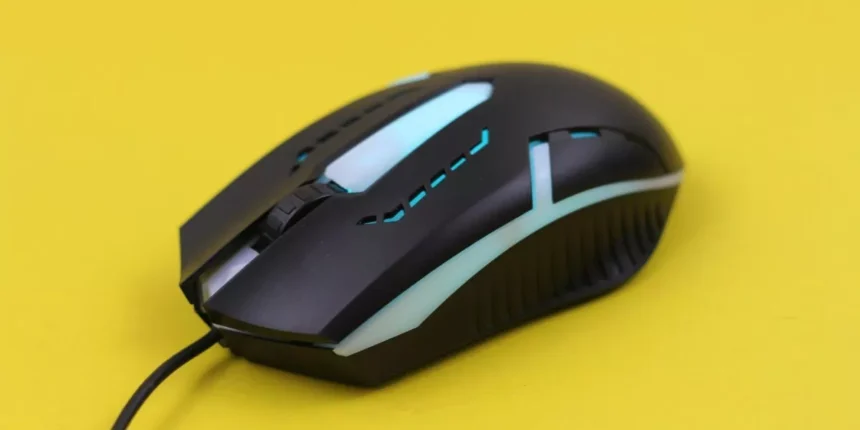
You want a mouse that feels like an extension of your hand while handling both tense gaming moments and long work sessions. Think sensor accuracy, shape and weight that match your grip, responsive switches, and software that actually stores profiles. Pick the right combo and you’ll boost aim and productivity — but the best choice depends on how you use it, so let’s narrow it down.
Choosing the Right Sensor, DPI, and Polling Rate for Your Needs
When you pick a mouse sensor, DPI, and polling rate, focus on how they affect accuracy and feel rather than chasing big numbers. You’ll want a reliable optical sensor with consistent tracking and minimal acceleration; that gives predictable cursor movement across surfaces.
Set DPI to match your workflow: higher for high-resolution displays or precise flicks, lower for controlled, steady movements. Use DPI steps if you need quick changes between tasks.
Choose a 500–1000 Hz polling rate for smooth responsiveness without wasting CPU, or 125 Hz if you’re extremely power-conscious. Test settings in real tasks — gaming, design, or spreadsheets — and tweak until movements feel natural. Ignore marketing claims; trust what feels accurate and repeatable for you.
Shape, Size, Weight, and Ergonomics: Finding a Comfortable Fit
For long sessions, the mouse’s shape, size, weight, and ergonomics determine whether your hand stays comfortable or starts to ache, so pick a model that matches your grip style and palm size.
Test shapes: palm-friendly contoured bodies support your whole hand, claw designs lift your wrist for quicker flicks, and fingertip models favor dexterity.
Size matters—too large forces tension, too small causes gripping strain.
Weight affects control and fatigue; choose lighter for fast movement, heavier if you prefer stability, or get adjustable weights.
Check button placement, thumb rests, and textured surfaces to reduce slippage and pressure points.
Also consider tilt, height, and edge bevels to keep tendons neutral.
Prioritize comfort over aesthetics; you’ll perform better when your hand feels right.
Buttons, Switches, and Software: Customization for Gaming and Workflows
Although physical feel matters, buttons and switches are the features you’ll interact with most, so pick ones that match your playstyle and workflow. Consider button count and placement: extra side buttons speed macros and quick binds, while a clean two-button layout reduces accidental presses. Look for high-quality mechanical switches with consistent actuation and a satisfying click; optical switches reduce debounce and can feel snappier.
Check DPI or profile switches for on-the-fly sensitivity changes. Software matters: a robust utility should let you remap buttons, create macros, set DPI stages, and save profiles to onboard memory or cloud. Ensure the UI is intuitive and supports per-app profiles so your mouse adapts automatically between games and productivity tasks.
Best Mice by Playstyle and Budget
Picking the right mouse comes down to your playstyle and budget, so you’ll want options that match how you game and work. If you play fast-paced shooters, prioritize a lightweight, high-DPI sensor and responsive switches — consider budget-friendly models from Glorious or higher-end picks like the Logitech G Pro X Superlight.
For MOBAs and MMOs, pick a mouse with many programmable buttons and comfortable grip; Razer and Corsair offer solid midrange and premium choices.
If you split time between work and gaming, choose a versatile ergonomic shape with reliable software for DPI and macros, such as Logitech’s MX or G series.
On a tight budget, seek durable sensors and decent build quality over flashy RGB.
Conclusion
You’ve got the essentials: pick a mouse whose sensor, DPI range, and 500–1000 Hz polling rate match your precision needs; choose a shape, size, and weight that feel natural for your palm, claw, or fingertip grip; and opt for durable switches plus software that stores profiles onboard so you can switch between gaming and work without fuss. Prioritize comfort and reliable tracking over flashy extras, and you’ll get a single mouse that handles both play and productivity seamlessly.